20
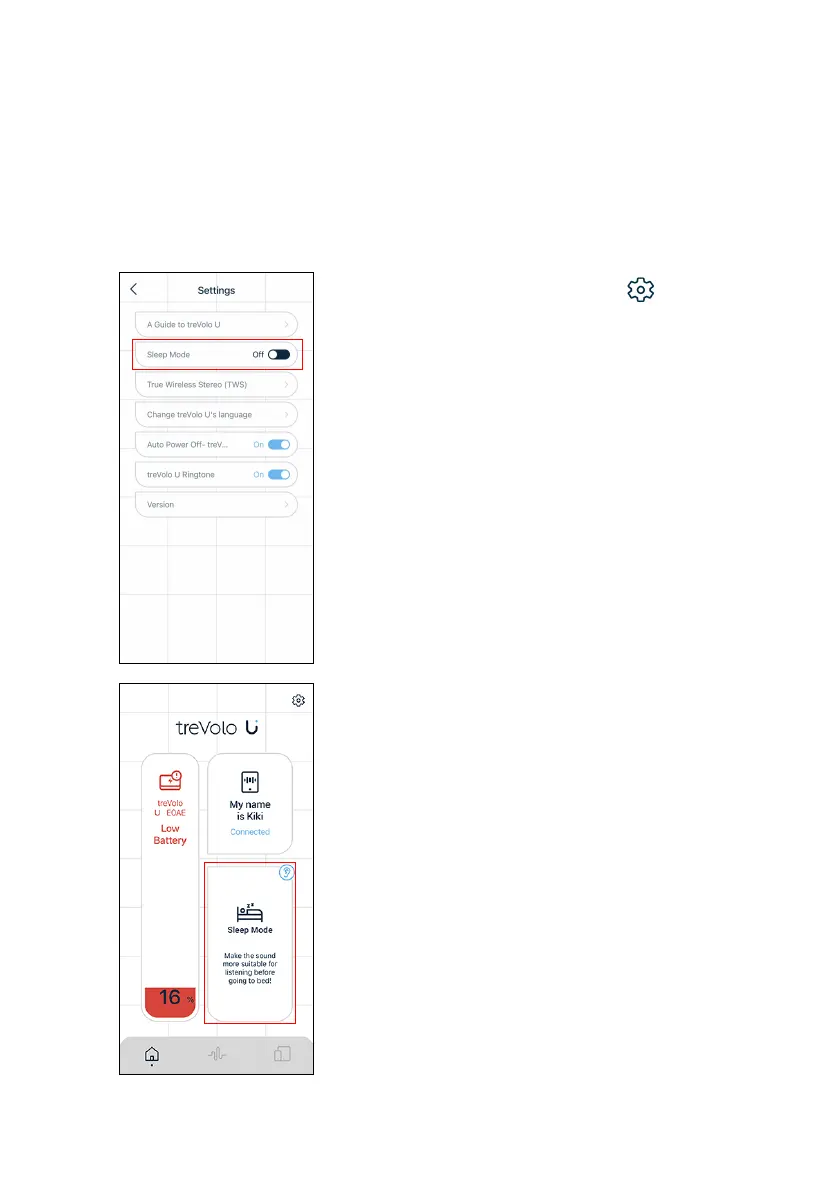
Sleep Mode
This mode can help users find the most comfortable sound to listen
to before going to bed.
Turning on the Sleep Mode on treVolo U App will lower the
overall volume and turn off the speaker automatically after
30 minutes.
1.
Please click the Settings () > Sleep
Mode on the top right corner of the
home page to turn this function on or off.
2. After activating Sleep Mode, the status
of Sleep mode will be available on the
home page.



 To Next Page