9 Introduction
Installing the Android TV dongle
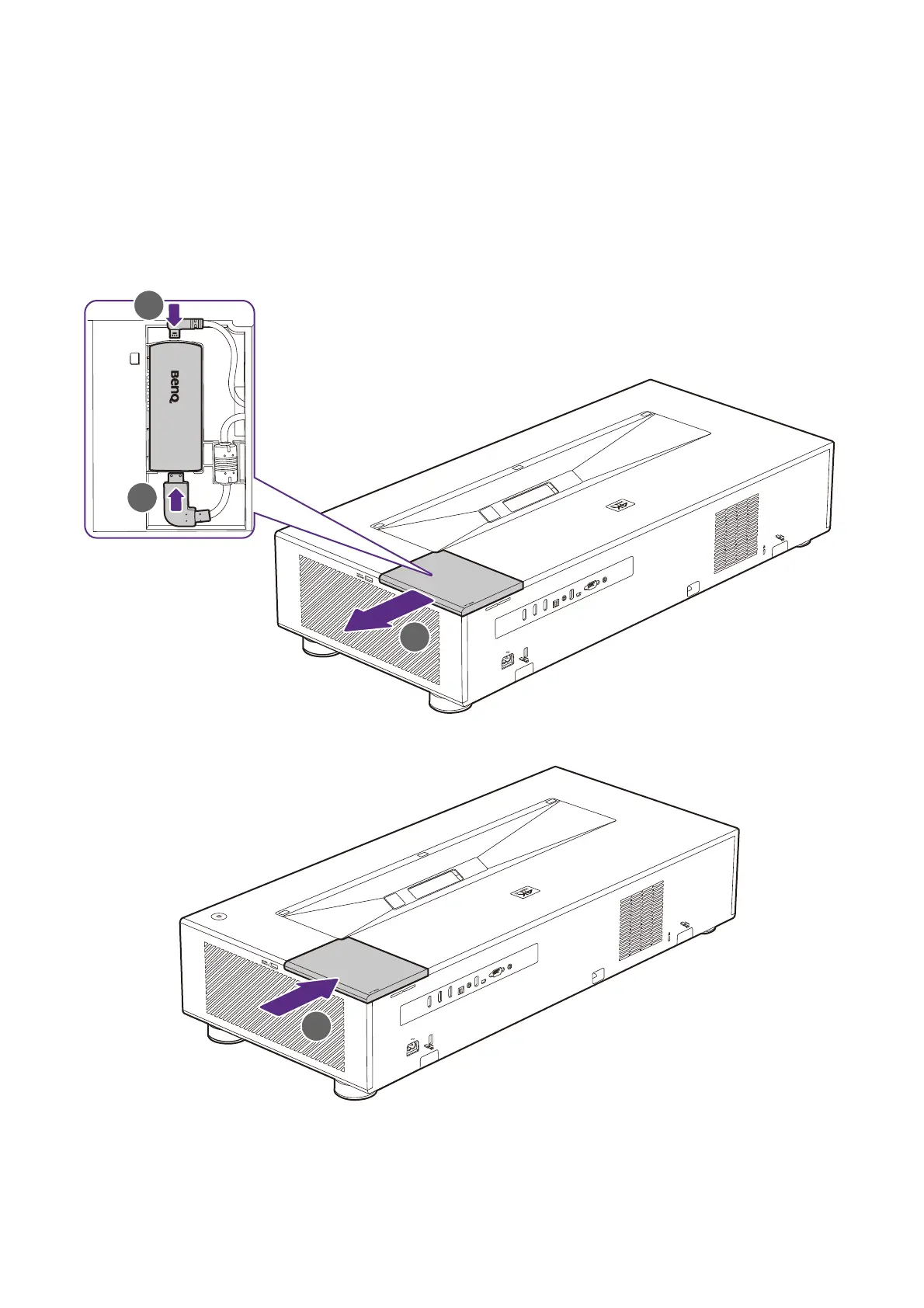
You must first install the Android TV dongle before you can begin to use the projector. To
install the dongle:
1. Remove the wireless dongle compartment cover.
2. Connect the Micro USB cable located in the compartment to the Micro USB port on
the dongle.
3. Connect the Mini HDMI cable to the Mini HDMI port on the dongle.
4. Place the dongle into the compartment and then re-install the compartment cover.


 To Next Page