Operation 23
Adjusting the projected image
Auto-adjusting the image
In some cases, you may need to optimize the picture quality. To do this, press AUTO on
the projector or remote control. Within 3 seconds, the built-in Intelligent Auto
Adjustment function will re-adjust the values of Frequency and Clock to provide the best
picture quality.
The current source information will be displayed in the corner of the screen for 3 seconds.
This function is only available when PC signal (analog RGB) is selected.
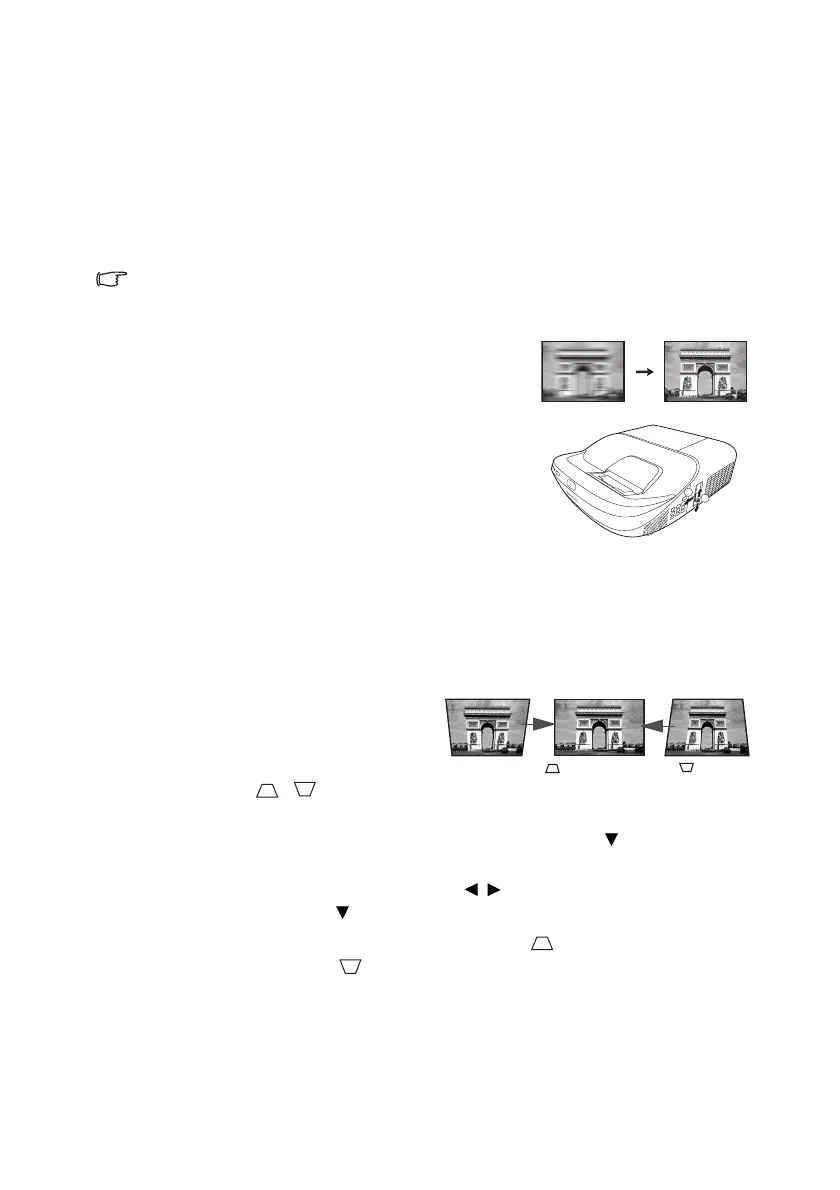
Fine-tuning the image clarity
Sharpen the image by rotating the focus ring.
Correcting keystone
Keystoning refers to the situation where the projected image becomes a trapezoid due to
angled projection.
To correct this, you will need to manually
correct it following these steps.
1. Do one of the following steps to
display the keystone correction page.
•Press / on the
projector or remote control.
•Press QUICK INSTALL on the remote control. Press to highlight
Keystone and press MODE/ENTER.
•Press MENU/EXIT and then press / until the DISPLAY menu is
highlighted. Press to highlight Keystone and press MODE/ENTER.
2. After the Keystone correction page displays. Press to correct keystoning at the
top of the image. Press to correct keystoning at the bottom of the image.


 To Next Page