Need help?
Do you have a question about the Bentel Omnia 4 and is the answer not in the manual?
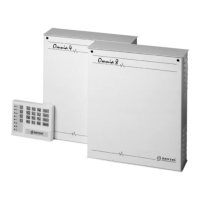
Describes the features and capabilities of the Omnia8 and Omnia4 security systems.
Defines key terms and concepts used in the manual for security systems.
Details the main hardware component of the security system, including its functions.
Explains the operation and indicators of the system's keypad for control and programming.
Describes the hardware component that reads the digital keys and its LEDs.
Explains the function, types, and capabilities of digital keys for system control.
Discusses how digital keys can manage partitions across different security systems.
Details the different arming modes (Global, Type A, Type B, Stop alarm) controllable via digital keys.
Step-by-step guide on how to arm all partitions using a digital key and the keypad.
Step-by-step guide on how to disarm all partitions using a digital key and the keypad.
Procedure for performing Type A arming using a digital key and the keypad.
Procedure for performing Type B arming using a digital key and the keypad.
Instructions on how to stop an active alarm using a digital key.
Overview of basic control functions like arming and disarming accessible from the keypad.
Instructions on how to bypass specific zones using the keypad for temporary exclusion.
Procedure to check the current armed status of the system's partitions.
Procedure to view the status of zones that have been bypassed.
How to clear the system's recorded alarm events from the memory.
Guide to managing the automatic arming feature for the system.
Instructions on how to enable or disable the teleservice capability for remote access.
Procedure for requesting an extension of the automatic arming time.
How a user can initiate a teleservice call to the installer.
Steps to enable or disable audible feedback from the keypad.
Guide to hiding or showing zone status on the keypad display.
How to test the functionality of connected alarm devices like sirens.
Instructions for programming and managing user access PIN codes.
Procedure to halt an active alarm and return the system to a safe state.
How to cancel outgoing alarm calls and clear the communication queue.
Information regarding the zone label inserts for identifying system zones.
Guidance for installers to use programming sheets for system configuration.
 General
| Brand | Bentel |
|---|---|
| Model | Omnia 4 |
| Category | Control Panel |
| Language | English |


 To Next Page