Global arming
<Code PIN>+
This option arms all the partitions controlled by the Code PIN and the key-
pad in use.
+
Before starting the procedure make sure that the Green READY LED is
ON (no zones violated).
1. Enter a Main User or User Code PIN.
2.
Press .
All the partitions controlled by the Code PIN and keypad in use will arm.
The keypad buzzer will signal the elapsing delay (EXIT TIME).
Global disarming
<Code PIN>+
This option disarms all the partitions controlled by the Code PIN and the
keypad in use.
1. Enter a Main User, User, Duress or Patrol Code PIN.
2.
Press .
All the partitions controlled by the Code PIN will disarm.
All Signalling Devices, activated by a partition alarm, will be forced into
standby status when the partition in question is disarmed.
If a Patrol Code PIN is used, the disarmed partitions will rearm automat-
ically when the Patrol time ends.
+
Duress Code PINs should only be used when the User’s personal safety
is at risk. Duress Code PINs will disarm the system, and at the same time
activate the Digital Communicator and Voice Dialler.
Type A or Type B arming
<Code PIN>+ or
During the programming phase each Code will be configured for Type A
arming and Type B arming. The configuration determines the partitions
that will arm and disarm when a Type A or Type B arming request is made.
Example: Type A arming configuration = arm partitions 1 and 4; disarm
partitions 2 and 3.
1. Enter a Main User, User or Duress Code PIN.
2.
Press or .
The Control panel will arm with Type A or B arming configuration.
Zone bypass
<Code PIN>+ +zone no.
The zone bypass option allows the User to bypass specific zones. Only
zones assigned to the partitions, and controlled by the Code PIN and key-
pad in use can be bypassed / unbypassed.
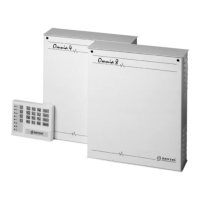
16 Security System Control Panels Omnia8/Omnia4



 To Next Page