CONTENTS
OVERVIEW 5
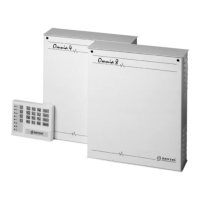
The Omnia8 and Omnia4 control panels . . . . . . . . . 5
Glossary . . . . . . . . . . . . . . . . . . . . . . . . . . 5
GENERAL FEATURES 7
The Main Unit . . . . . . . . . . . . . . . . . . . . . . . 7
The keypad . . . . . . . . . . . . . . . . . . . . . . . . . 7
Digital key . . . . . . . . . . . . . . . . . . . . . . . . 10
Arming Mode Options . . . . . . . . . . . . . . . . . . 10
DIGITAL KEY CONTROL 13
Global arming . . . . . . . . . . . . . . . . . . . . . . 13
Global disarming . . . . . . . . . . . . . . . . . . . . . 13
Type A arming (Amber) . . . . . . . . . . . . . . . . . 13
Type B arming (green) . . . . . . . . . . . . . . . . . . 14
Stop alarm . . . . . . . . . . . . . . . . . . . . . . . . 14
CONTROL FROM KEYPAD 15
Basic options . . . . . . . . . . . . . . . . . . . . . . 15
Global arming . . . . . . . . . . . . . . . . . . . . . . 16
Global disarming . . . . . . . . . . . . . . . . . . . . 16
Type A or Type B arming . . . . . . . . . . . . . . . . 16
Zone bypass . . . . . . . . . . . . . . . . . . . . . . 16
View armed partitions . . . . . . . . . . . . . . . . . . 17
View bypassed zones . . . . . . . . . . . . . . . . . 17
User Menu Options from keypad . . . . . . . . . . . . 18
Reset Alarm Memory . . . . . . . . . . . . . . . . . . 18
Enable / Disable auto arming . . . . . . . . . . . . . . 19
Enable / Disable Teleservice . . . . . . . . . . . . . . 19
Overtime Request . . . . . . . . . . . . . . . . . . . 20
Teleservice Request . . . . . . . . . . . . . . . . . . 20
Enable / Disable Silent keypad . . . . . . . . . . . . . 20
Enable / Disable Hidden zone status on keypad . . . . 20
3



 To Next Page