Enable / Disable auto arming
<Code PIN>+ +
Key toggles auto arming
1.
Press when key is ON to enable auto arming.
2.
Press when key is OFF to disable auto arming.
3.
Press to quit without changing the current status.
Enable / Disable Teleservice
<Code PIN>+ +
The Installer can call the Control panel to activate Teleservice, only after
the User has enabled the Teleservice option (the control panel will be able
to receive incoming Teleservice calls).
Key toggles Teleservice.
1.
Press when key is ON to enable Teleservice.
2.
Press when key is OFF to disable Teleservice.
3.
Press to quit without changing.
+
The Teleservice enabled / disabled status is also shown on the PRG LED
on the keypad.
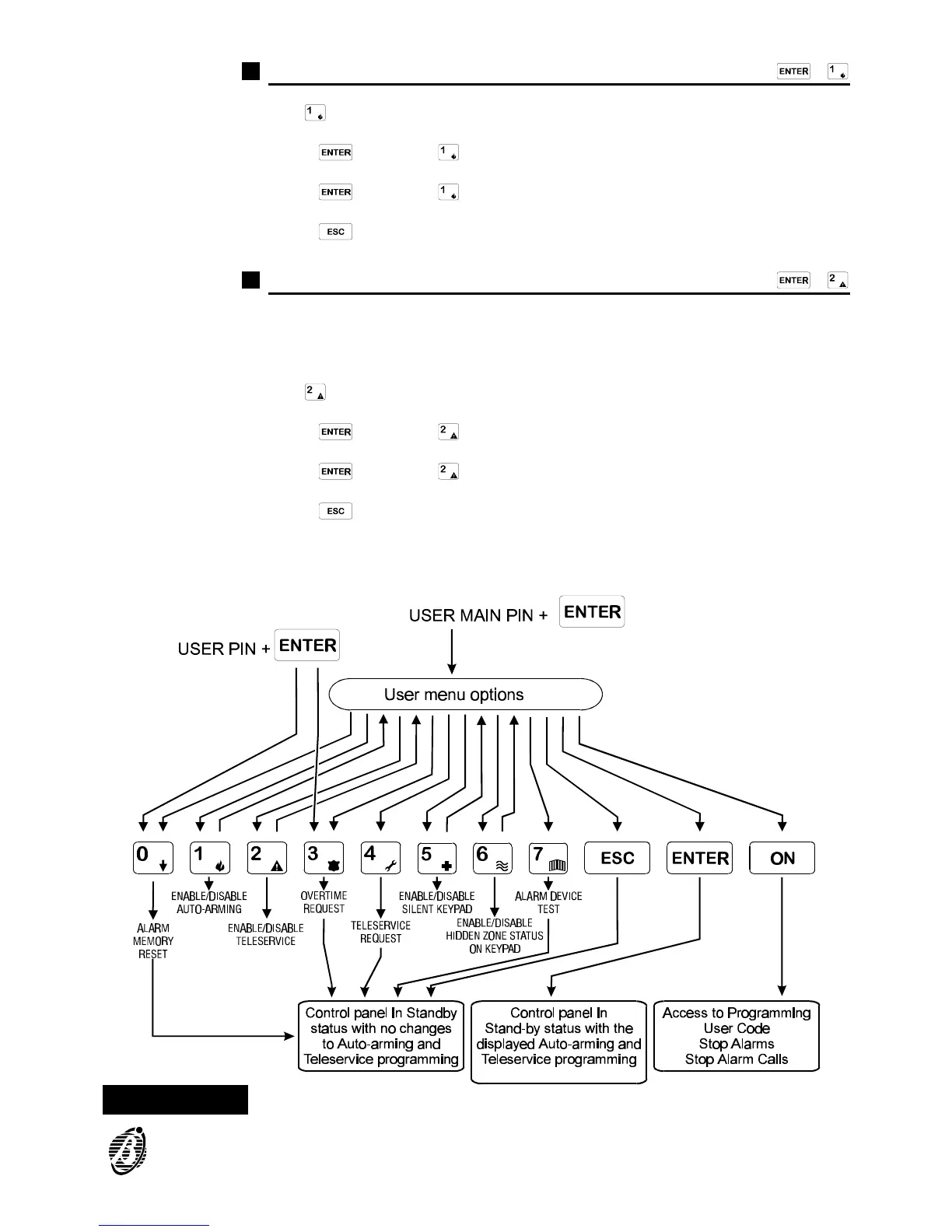
Figure 4 User Options via keypad
Overtime requests are possible only when auto arming is enabled
CONTROL FROM KEYPAD 19



 To Next Page