ATTENTION Please remember that Code PINs cannot be traced,
therefore, it is advisable to have a written record. The table on page 27
should be used for this purpose (the Code PIN table must be kept in a
safe place). Factory default can be restored by the Installer if required.
Stop alarm
<Code PIN>+ +
Refer to the note in the User Code PIN Programming paragraph.
Alarm status will activate the alarm signalling devices, and the Digital Com-
municator and Dialler.
To stop an alarm procedure:
Disarm the partition in alarm status
To stop a tamper alarm:
1. Disarm the partition in alarm status.
2. Reset Alarm Memory (refer to "Reset Alarm Memory" paragraph).
To stop a persistent alarm (e.g. generated by a sensor):
1. Enter Code PIN.
2.
Press .
3.
Press .
All the alarm signalling devices on the partition in question will be forced
into standby status. New alarms on the partition in question will be ignored.
This status will be signalled by slow flashing on the PRG LED.
This status will be held until is pressed.
+
Only Main User Code PINs can stop alarms generated by system tamper.
Stop all Calls
<Code PIN>+ +
Refer to the note in the User Code PIN Programming paragraph.
The programmed alarm calls (Event messages) will be sent to the Central
Station when the assigned Event occurs.
To Stop an outgoing alarm call, and clear the call queue:
1. Enter a Main User Code PIN.
2.
Press .
3.
Press .
The PRG LED will start flashing slowly to signal access.
This status will be held until is pressed.
No calls will be sent while the control panel is in this status, even if other
call generating events occur.
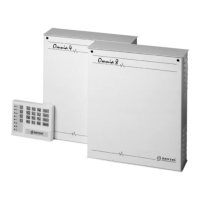
22 Security System Control Panels Omnia8/Omnia4



 To Next Page