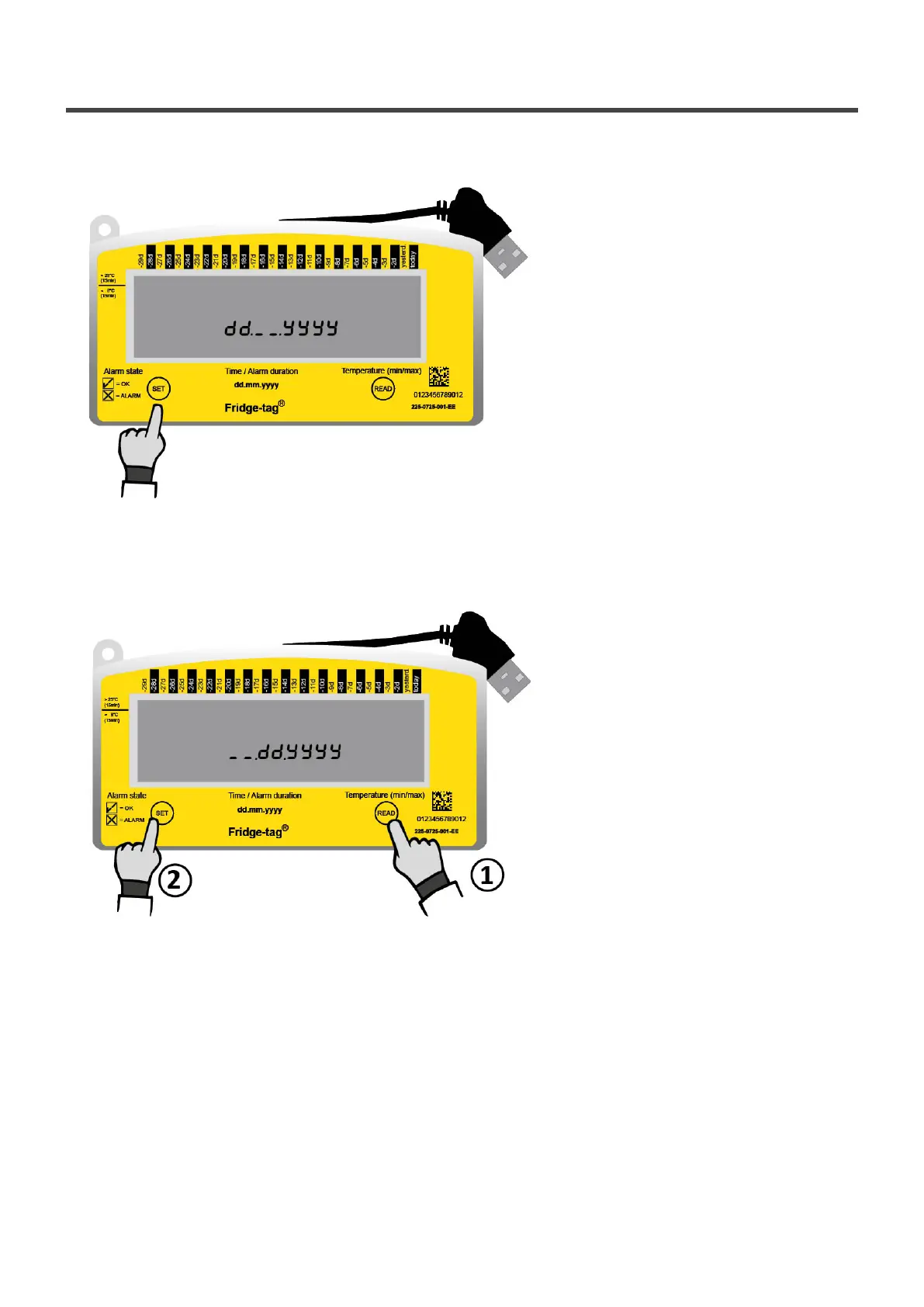
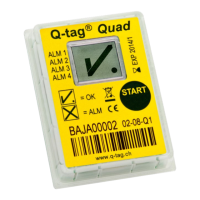
6.2. Setting the calendar format
Option 1: Setting the calender format to: dd.mm.yyyy
Press SET to save the calendar format.
Option 2: Setting the calender format to: mm.dd.yyyy
1. Press READ to change the calendar format.
2. Then press SET to save the calendar format.
After setting the calendar format, the first digit of the date will start flashing.
Berlinger & Co. AG User Manual Fridge-tag - 1
Page 10 of 51



 To Next Page