7.1. Initial menu (read and change settings)
To change the date format, the date, the time, the temperature measurement unit or the alarm settings
or to read the preset alarm limits please proceed as follows:
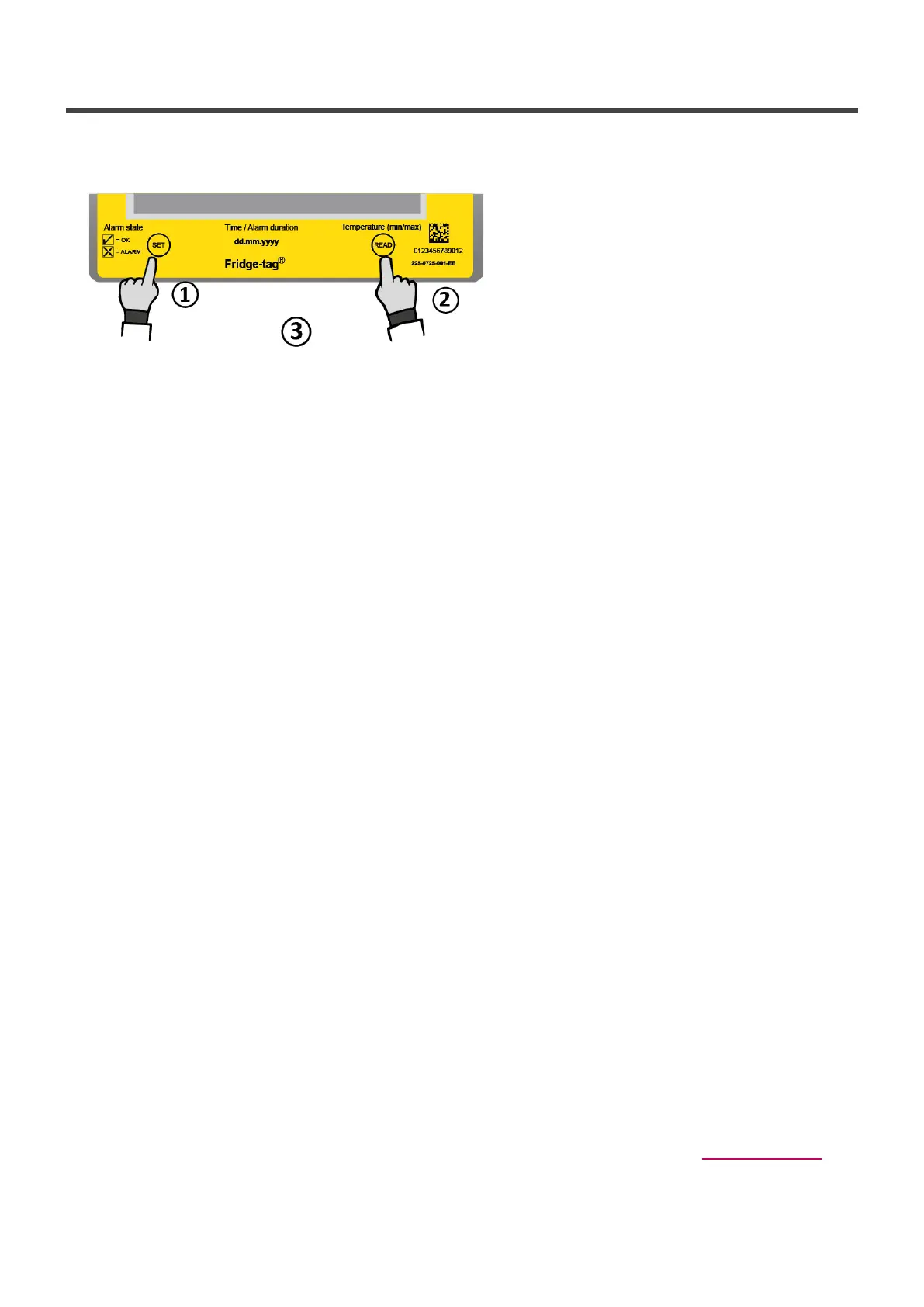
1. Press and hold SET …
2. … then press READ shortly …
3. … then release both buttons simultaneously.
SET DATE (internal sensor) is now displayed on the screen.
OUTSIDE (external sensor) is now displayed on the screen.
You entered the menu mode and may choose which entry to see or change.
You can access the following 4 menus:
OUTSIDE (external sensor): first screen, shows the temperature measured with the internal sensor of
the Fridge-tag (normal ambient temperature).
Press READ once to get to SET DATE.
SET DATE (internal sensor): Configuration with internal sensor,
SET DATE is directly shown.
1. SET DATE: change date and/or time settings
2. READ CONF: read the alarm settings
3. CELS FAHR: change the temperature unit
4. SET CONF: change the alarm settings (only if enabled in factory setting)
Use the READ button to scroll through the menu.
Use the SET button to access the corresponding menu.
Access the menu “SET DATE”
External sensor: The display shows OUTSIDE. Press READ until the display shows SET DATE.
Internal sensor: The display shows the menu “SET DATE”. Press SET to access the menu to adjust the
date format, date or time settings. Then follow the steps as described in the chapter Setting the date.
Note: Time and date adjustments have no effect on the alarm records. Adjustments can only be made
for date and time settings and for changing the temperature measurement unit. Once the device is
Berlinger & Co. AG User Manual Fridge-tag - 1
Page 23 of 51



 To Next Page