6.3. Using the READ and the SET buttons
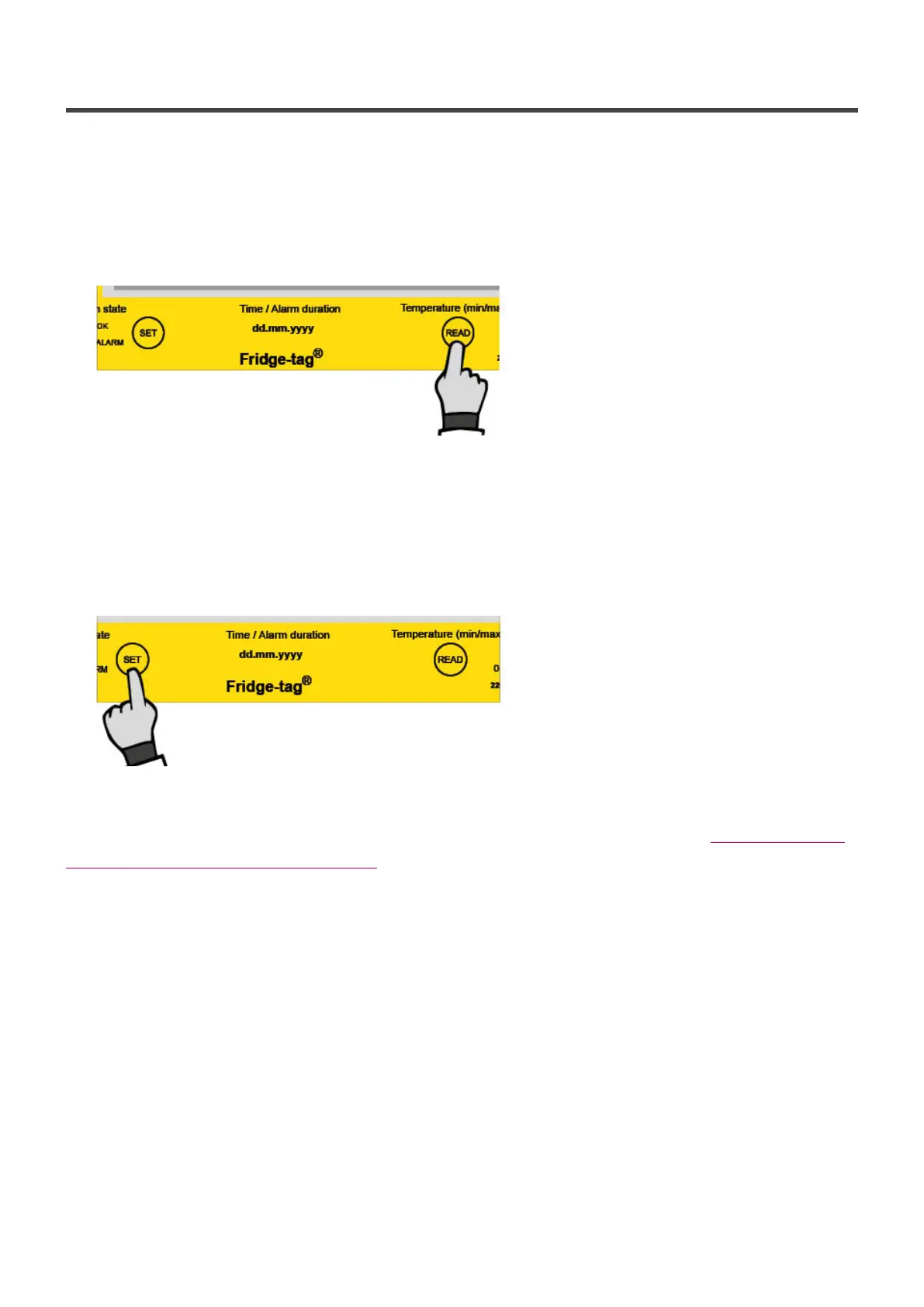
READ button
The READ button is used to adjust the numbers. Each time you press the READ button, the number in
the flashing digit will increase by 1. If you press READ more than necessary, continue pressing the
READ button until you obtain the desired number.
Press READ to adjust the number
SET button
The SET button is used to save the number. After pressing the SET button, the next digit will start
flashing.
Press SET to confirm.
Note: If SET is pressed mistakenly, continue with the setup instructions. The chapter Read and change
settings / How to correct setting mistakes describes how to rectify the error.
Berlinger & Co. AG User Manual Fridge-tag - 1
Page 11 of 51



 To Next Page