10.2. Option 2: Read out alarms directly on
the device – use the Alarm Super Jump
function (30-day history)
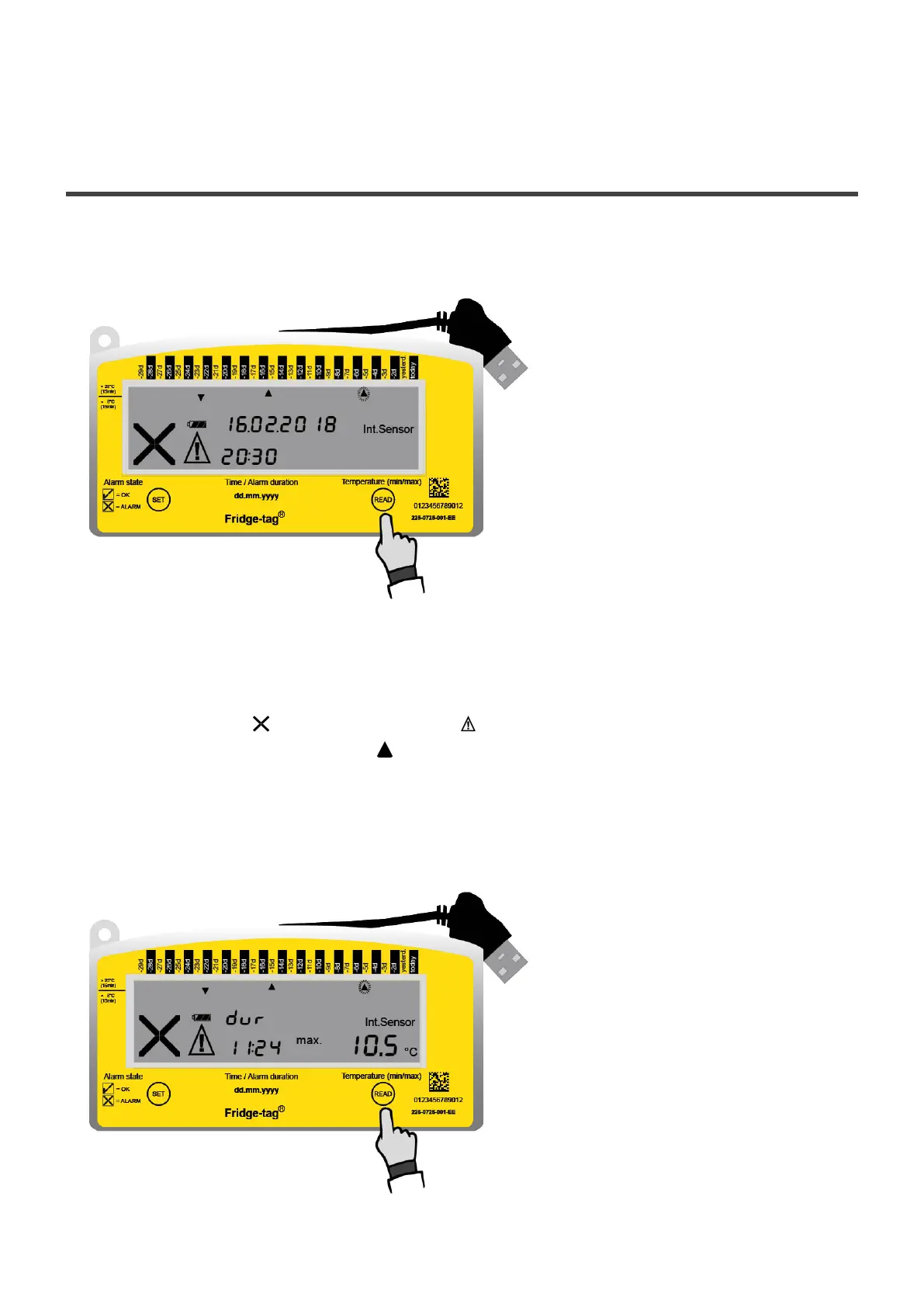
If you like to read out the alarms directly on the Fridge-tag, press the READ button for at least 3
seconds.
1st display of the latest alarm event
Press READ for 3 seconds
The following information is indicated on the screen:
• The alarm symbol and the warning symbol
• The corresponding alarm indicator (higher alarm limit)
• Day of alarm (example: 5 days ago: –5d)
• The date of the alarm (example: 16.02.2018)
• The time of excursion (example: 20:30)
2nd display of the latest alarm event
Press READ again
Berlinger & Co. AG User Manual Fridge-tag - 1
Page 37 of 51



 To Next Page