10.1. Option 1: Read out day per day directly
on the device (30-day history)
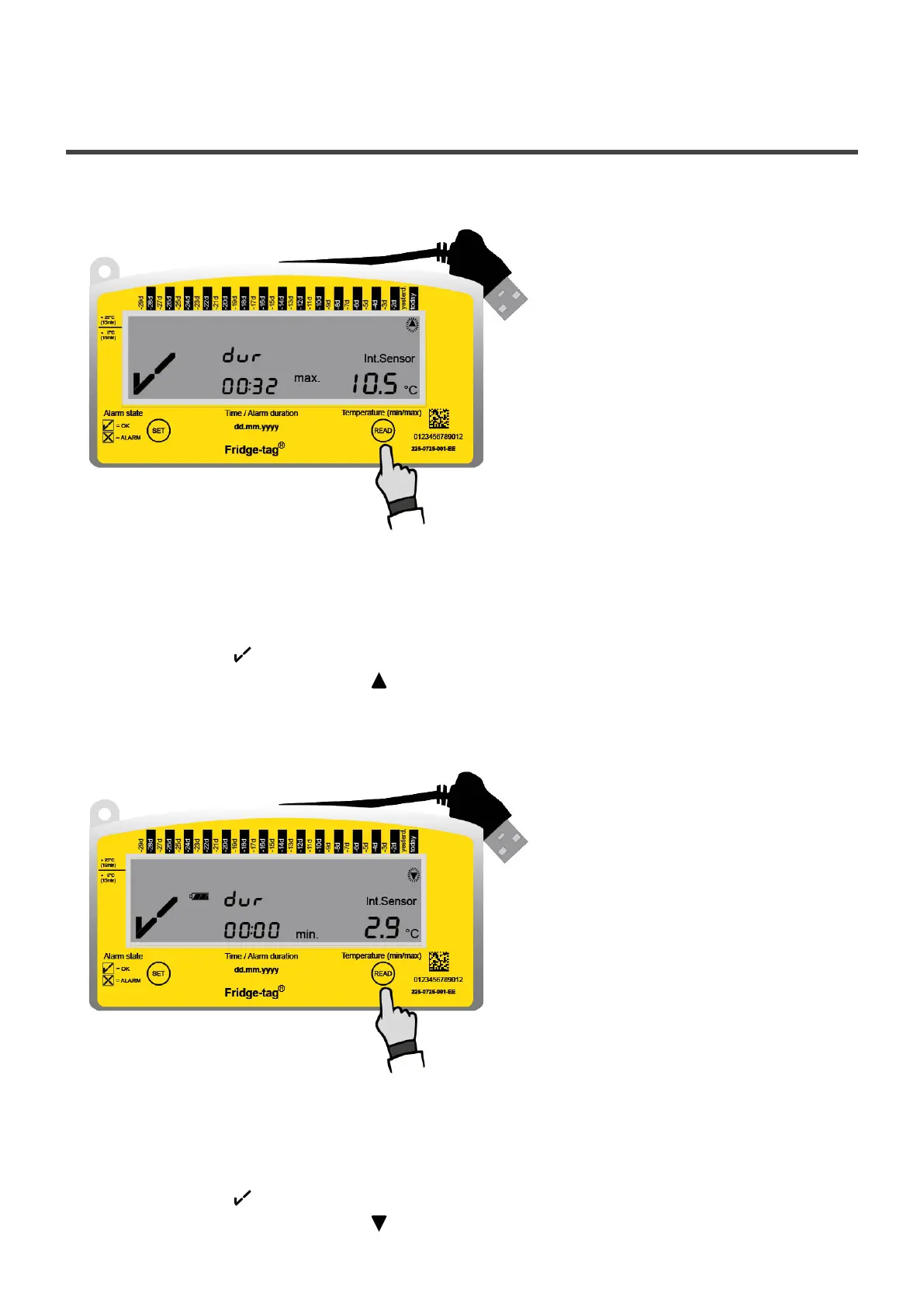
Example of an OK display during readout of the history
Press READ once
The following information is indicated on the screen:
• The OK symbol
• The corresponding flashing arrow (example: high arrow “today”)
• Highest recorded temperature (example: +10.5˚C)
• Duration of the exceedance of the preset high limit temperature (example 00:32; hh:min)
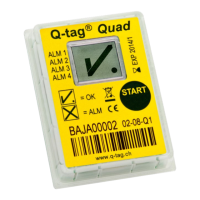
Press READ a second time
The following information is indicated on the screen:
• The OK symbol
• The corresponding flashing arrow (example: low arrow of “today”)
Berlinger & Co. AG User Manual Fridge-tag - 1
Page 34 of 51



 To Next Page