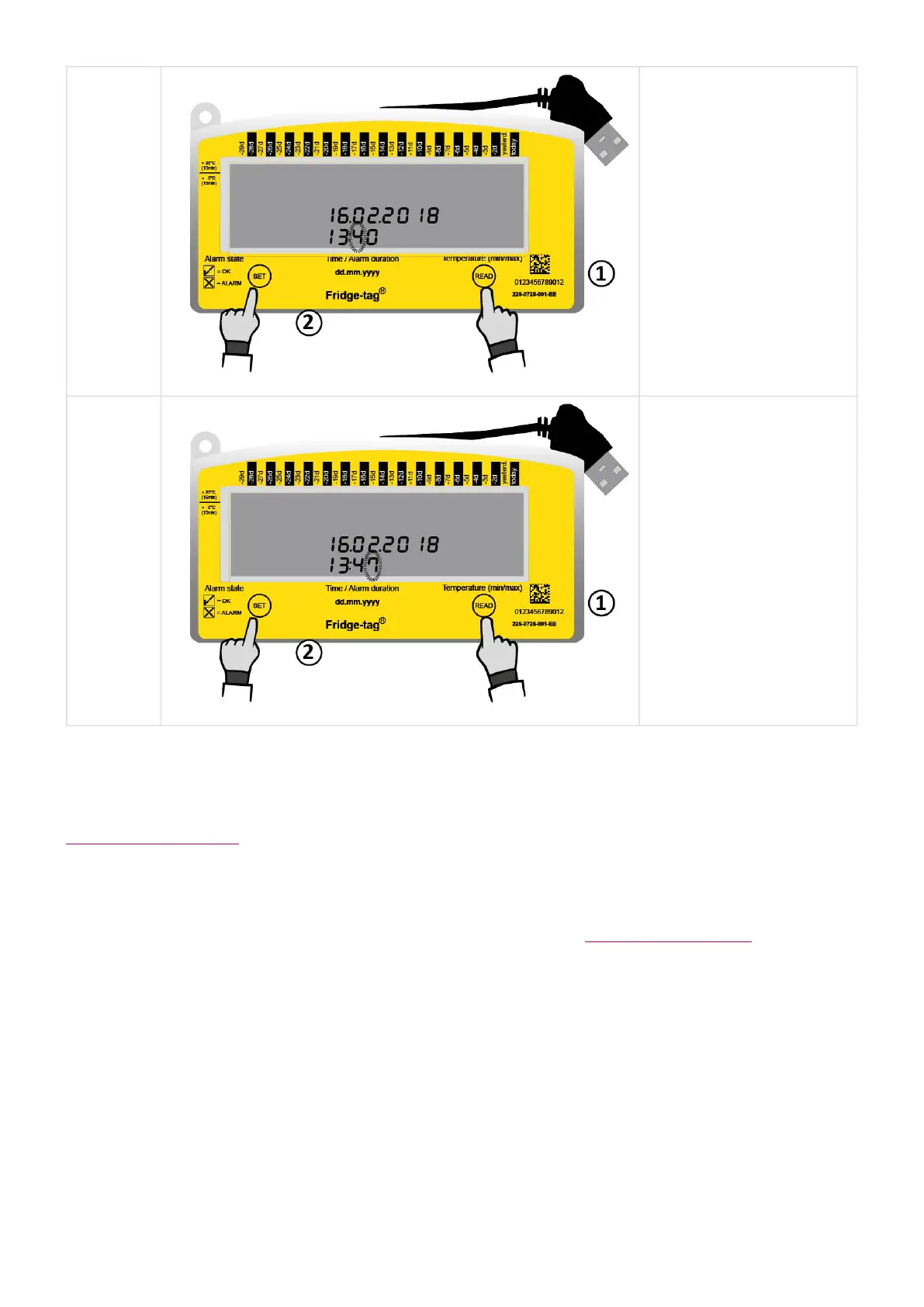
The 3rd
digit is
flashing.
1. Press READ until “4”
appears as the third
digit.
2. Press SET to save.
The 4th
digit is
flashing.
1. Press READ until “7”
appears as the
fourth digit.
2. Press SET to save.
The time is now set to 13:47.
Note: If the device is configured with self-programmable alarm limits proceed with the following chapter
Setting the alarm limits.
As soon as the last digit of the time setting is confirmed, the activation is completed.
Internal sensor: Now place the Fridge-tag according to this chapter Placing the Fridge-tag.
External sensor: Connect the device with the external sensor. During max. 1 minute after activation no
temperature is displayed on the screen.
Berlinger & Co. AG User Manual Fridge-tag - 1
Page 15 of 51



 To Next Page