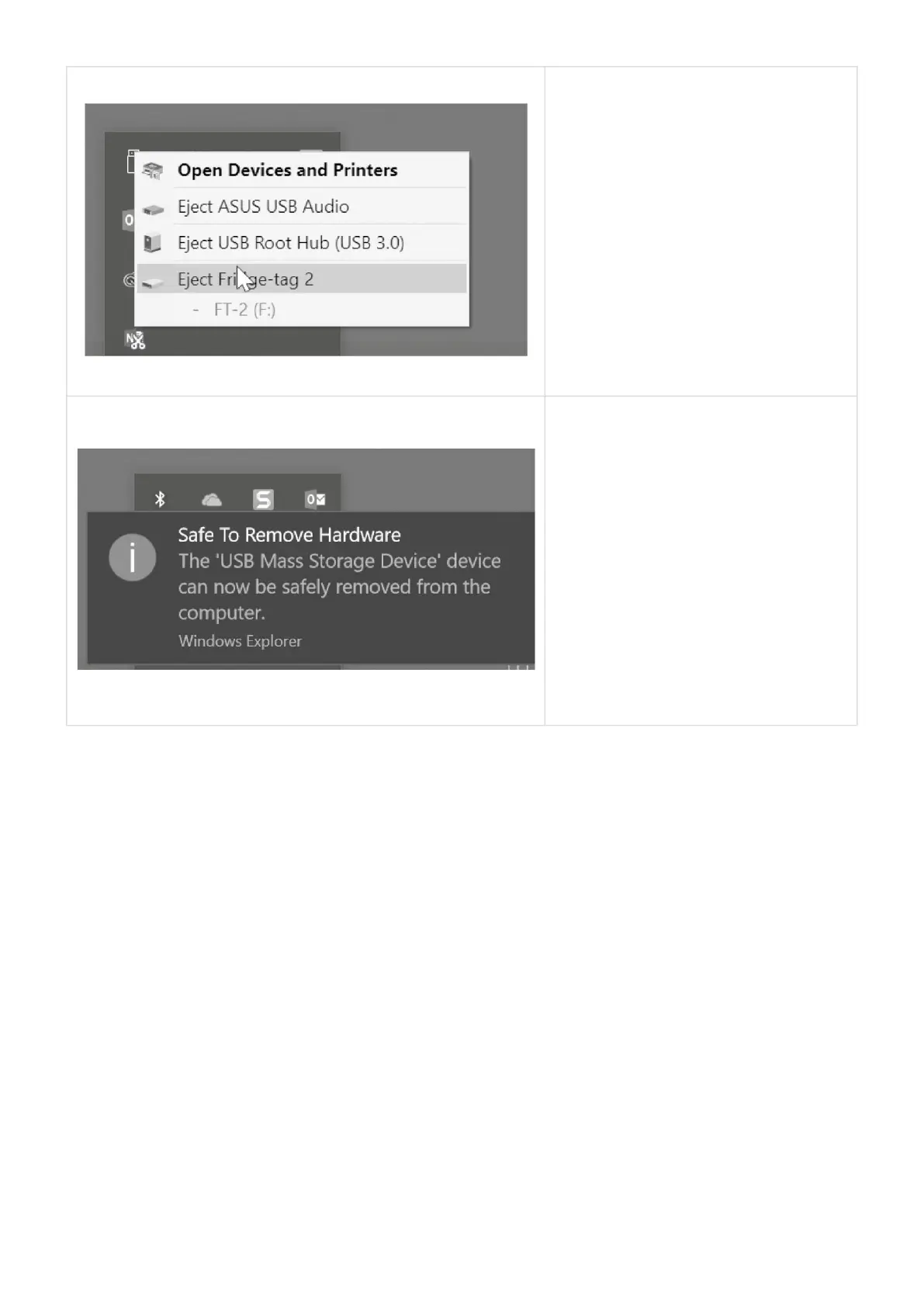
Right-click the icon “Safely Remove
Hardware and Eject Media” in the
Windows taskbar (lower right corner).
Choose the corresponding device to
remove.
Do not disconnect the device before you
receive the depicted message, otherwise
the device can be damaged.
Note: For this process no additional software is necessary.
Berlinger & Co. AG User Manual Fridge-tag - 1
Page 41 of 51



 To Next Page