29 Selected practical stitches
Use reverse pattern sole No. 1
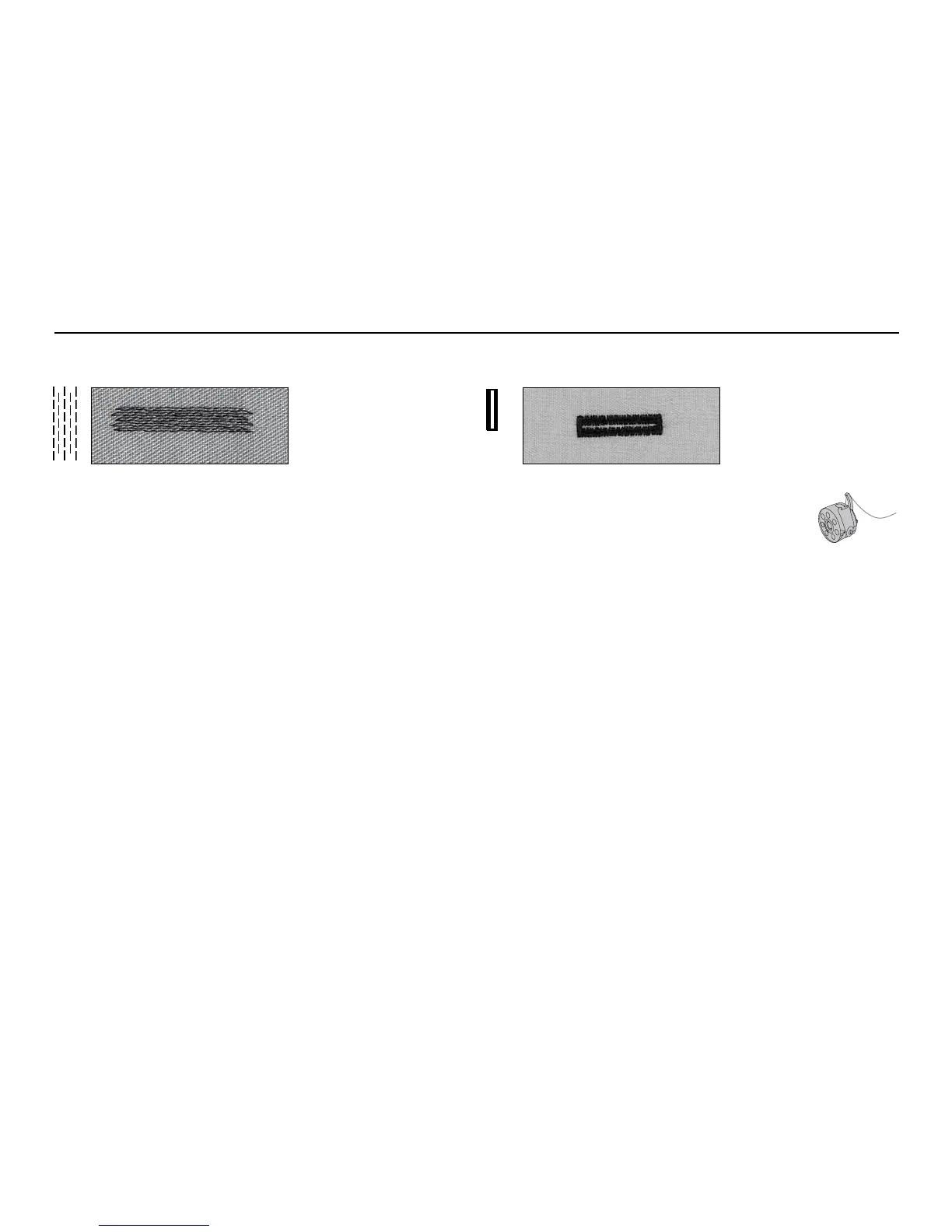
Darning with Reverse pattern sole No. 1 (auto stitch
counter)
•
insert needle in top left of damaged area
•
sew the first length and stop the sewing computer
•
press the quick reverse button: length is programmed
•
complete the darn; the sewing computer stops auto-
matically
•
clear the programme by pressing the «clr/del»-button
Large areas:
•
the darning area can be extended by moving the
work under the foot
Darning program, stitch No. 10
Use buttonhole sole No. 3
Preparation
•
select buttonhole
•
the LCD display shows the buttonhole number, presser foot
sole No. 3 and the buttonhole symbol (the first step blinks
on the display)
•
insert the lower thread in the finger of the bobbin case =
thread tension is a little higher
•
mark the buttonhole length in the appropriate position
Test sewing
•
test on the fabric and stabilizer you intend to use
•
sew buttonholes in the same grain direction (with or
against)
•
cut the buttonhole open
•
push the button through and adjust length if necessary
Buttonhole, stitch No. 11
Manual buttonholes are particularly suitable for single
buttonholes, for repairing existing buttonholes or to
decorative effect. Manual buttonholes cannot be saved.



 To Next Page