Selected practical stitches
30
Note:
When all buttonholes have
been sewn, return balance to
the normal setting!
Corrections
To adjust the bead width
•
alter the stitch width
•
altered stitch widths can be deleted by pressing
the «clr/del»-button
Altering the stitch length
•
any alterations to the stitch length affect both
beads (denser or less dense)
•
altered stitch length can be deleted by pressing
the «clr/del»-button
Balance for manual
buttonholes
•
any balance alterations to the
manual buttonholes affects
both beads identically because
they are sewn in the same
direction
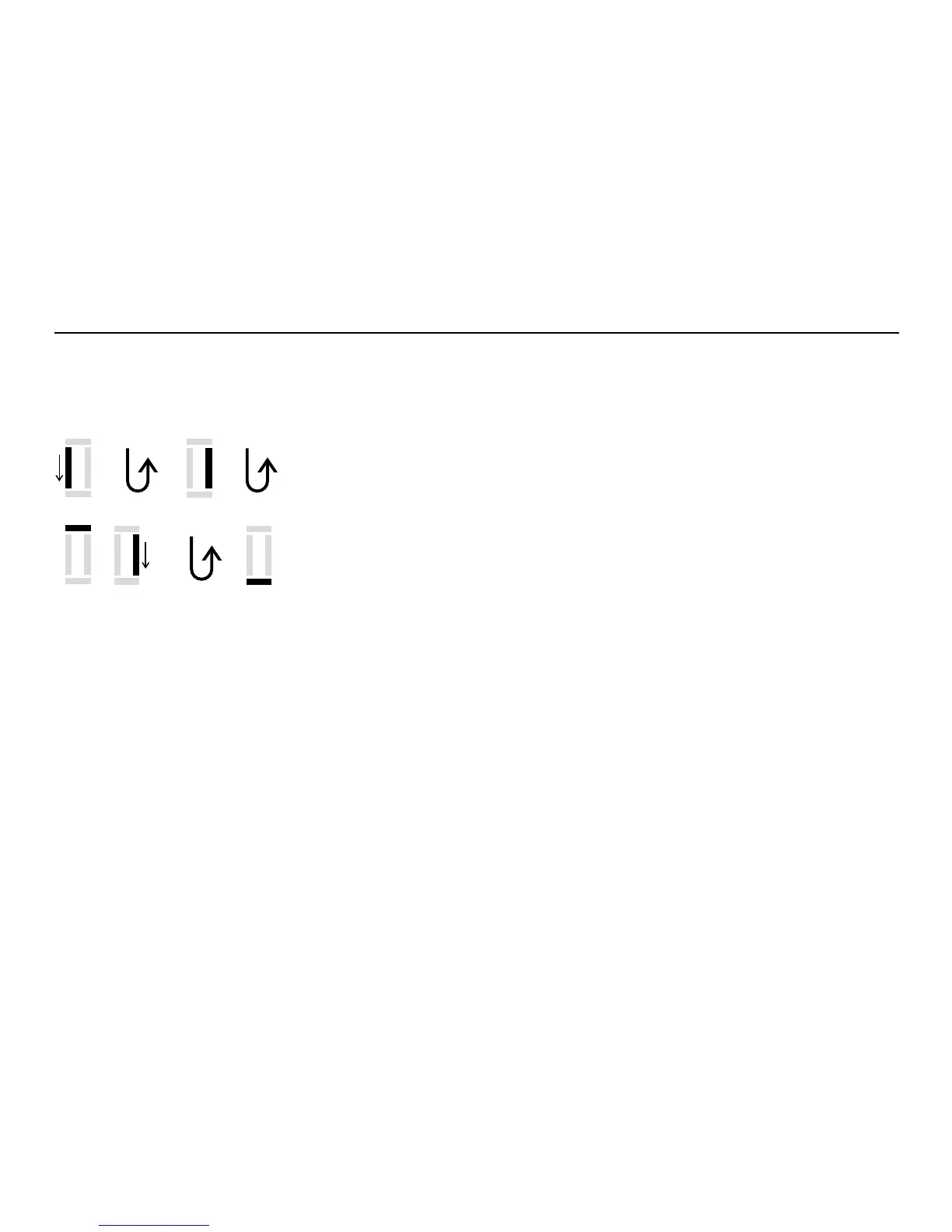
1 sew the first bead forward, stop the sewing computer
•
press the reverse button
2 sew reverse straight stitch, stop the sewing computer at the first
stitch (buttonhole begin)
•
press the reverse button
3 sew the bartack and the second bead, stop the sewing computer
•
press the reverse button
4 sew the bartack and the securing stitches
Individual steps can be eliminated or repeated.
4
3
1
2
Sewing a manual standard buttonhole
Both beads are sewn in the same direction.
The individual steps blink on the LCD display.



 To Next Page