Set Up For Editing and Stitching
Select the design
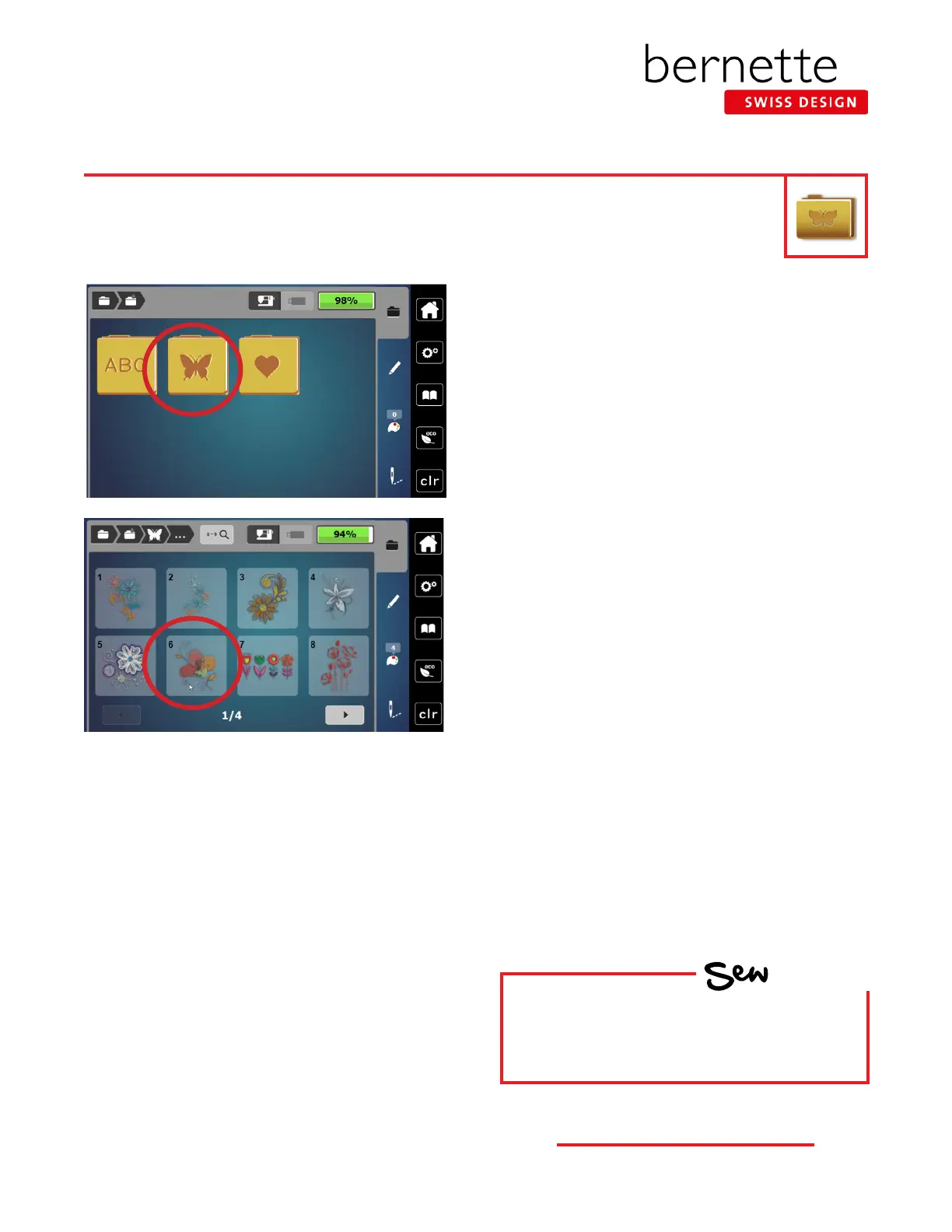
1. Select the Embroidery Motifs folder.
2. Select Folder 5, Design #6.
3. The design will appear on the screen.
4. When starting a new design, it is best to check the
hoop size. If a hoop is already on the machine, it will be
selected. If no hoop is attached, the design opens in the
hoop closest to the size of the design.
5. Check to make sure the proper foot sole is on the
machine. Ensure that the Straight Stitch Plate is attached.
The machine will recognize and display the stitch plate
that is attached.
Use the features and functions just learned to set up a design, and then stitch it out as we proceed through
the next pages.
HOW
Do you know to:
• Select the proper hoop?
• Access the Presser Foot Sole Display?
13
bernette
EMBROIDERY MACHINE WORK
BOOK











 To Next Page