Setting Up - Machine/Module
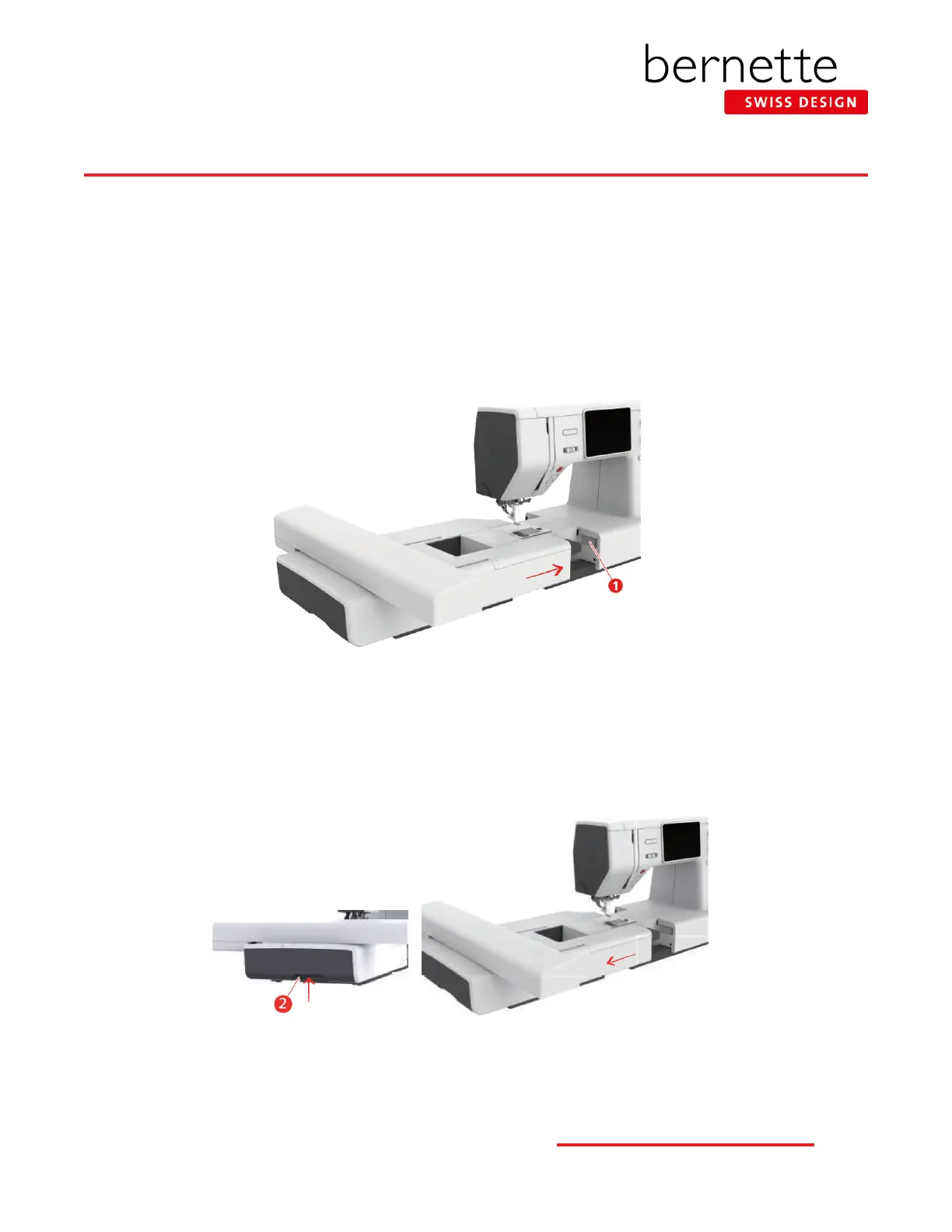
Attaching the Module:
• The slide-on table (b79) must be removed.
• Make sure there is enough space around the machine and embroidery module to allow the unimpeded movement of the
embroidery arm.
• Place the machine on a at surface (such as a table or counter top) sturdy enough to support the weight of the machine with-
out sagging.
• Carefully slide module from left to right into the embroidery module connection (1) of the machine.
Removing the Module:
• Hold the embroidery module and press the release button (2) and pull away from the machine to remove the module.
• ALWAYS disconnect before adjusting placement on the table or when transporting.
4
bernette
EMBROIDERY MACHINE WORK
BOOK











 To Next Page