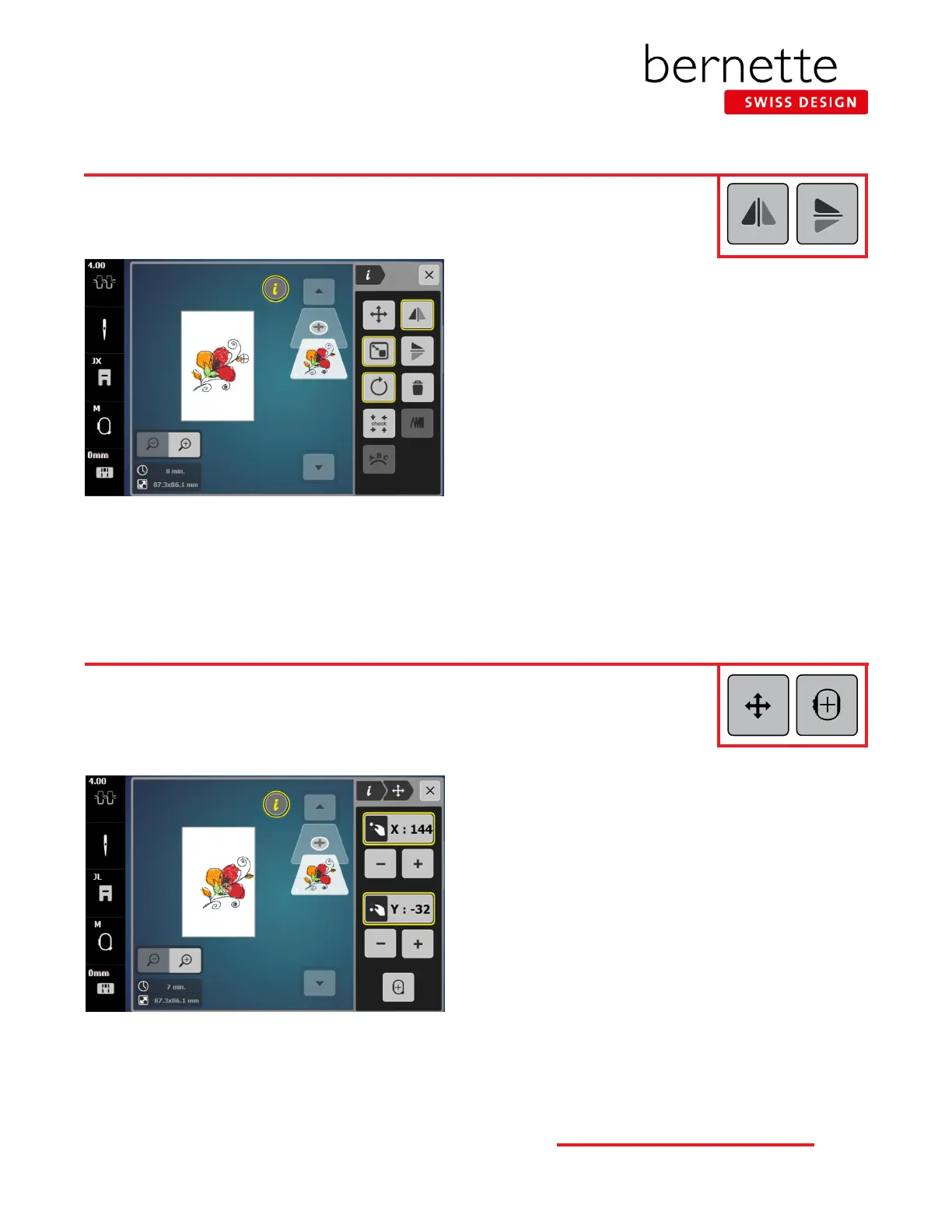
Editing - Mirror Image
Design motifs can be mirror imaged both in the left/right position or up/down position.
Mirror Image Left/Right
1. Using the same design from the previous page, select “i”
to open the Information menu.
2. Touch the Mirror Image Left/Right icon.
Mirror Image Up/Down
1. Touch the Mirror Image Up/Down icon.
2. Touch the icon a second time to return it to the upright
position.
Editing - Move Motif
Design motifs can moved on screen using the Multi-function knobs, the - / + icons on screen, or
by dragging and dropping.
1. Touch the “i” in the breadcrumb path; select the Move
Motif icon .
2. Use the - / + icons under the X box or the Upper Multi-
function knob to move the design to the left or right on
the screen.
3. Use the - / + icons under the Y box or the Lower Multi-
function knob to move the design up or down on the
screen.
4. Use your ngertip or the stylus to drag and drop the
design into the desired position on the screen.
5. The X and Y coordinates can be cleared individually by
touching the yellow outlined box.
6. To center the design on the screen, touch the Motif Center
icon.
15
bernette
EMBROIDERY MACHINE WORK
BOOK











 To Next Page