18
052815
Workbook 4—Embroidery Basics
Basting Boxes
Basting Boxes
Pre-programmed basting outlines stitch along
the inside of the hoop or around a selected
design. This serves as an additional anchoring
to hold the fabric and stabilizer together.
B 560, 580, 750 QE
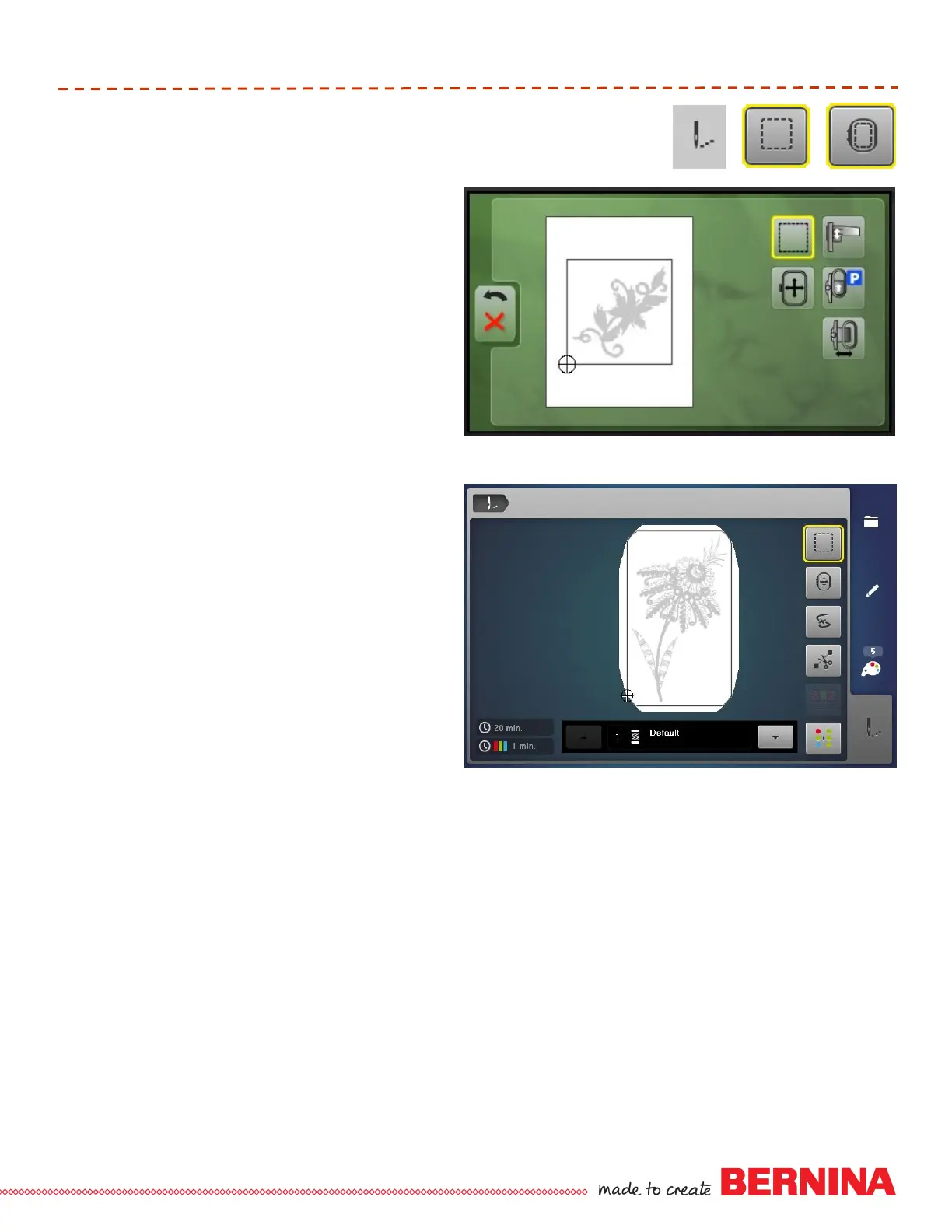
Touch Needle icon to go to the stitching
screen.
Touch Hoop Selection icon.
Touch Basting icon: toggle the icon
between the choice of basting around the
outline of the hoop, basting around the
design, or turning basting off. A yellow
outline indicates basting is activated.
B 770 QE, 780, 790, 880
Touch the Needle icon to go to the stitching
screen.
Touch the Basting Box icon: toggle the icon
between the choice of basting around the
outline of the hoop, basting around the
design, or turning basting off. A yellow
outline indicates basting is activated.
Other Models
Basting files are available for all hoops on
deco, aurora, and artista models at
www.bernina.com.
BERNINA 560, 580, 750 QE
BERNINA 770 QE, 780, 790, 880













 To Next Page