42
052815
Workbook 4—Embroidery Basics
Shape Designer
BERNINA 880 only
BERNINA 880
In the Embroidery Menu, select Folder 5,
Design 5.
Select the Hoop icon, and select the Medium
hoop, close.
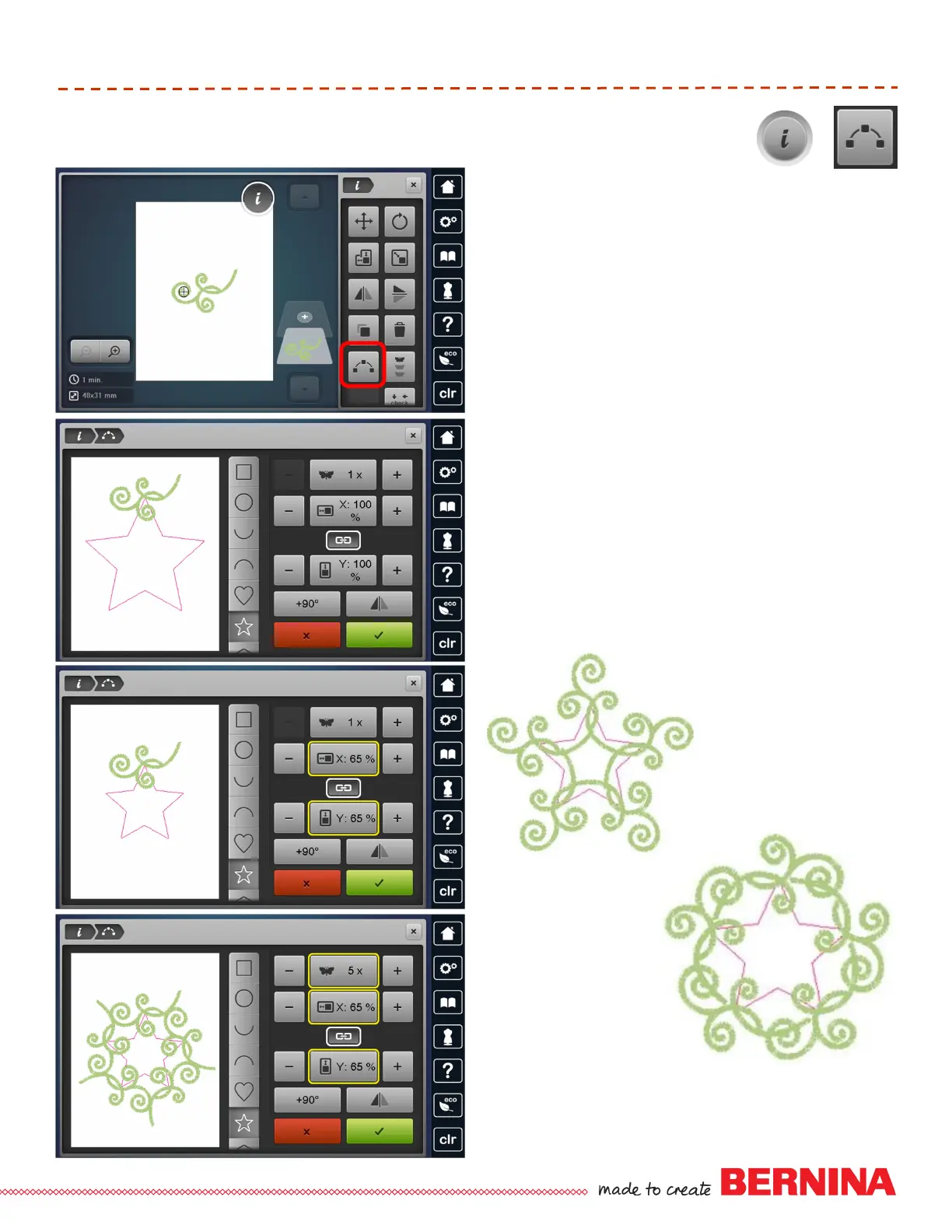
Select “I” and the Shaping icon.
Select the star shape.
Change size to 65%. With the lock engaged, the
shape size is changed proportionately; Unlock to
change height and width independently.
Changing the size of the shape can provide
spacing between motifs.
Change number of motifs to 5.
Touch +90 one time. Rotates each design 90
degrees; selecting +90 again will provide a
different arrangement.
Touch +90 once.
Touch +90 again.













 To Next Page