39
052815
Workbook 4—Embroidery Basics
Letter Manipulation / Word Art
BERNINA 580, 780, 790 and 880 only
BERNINA 580, 780, 790, 880
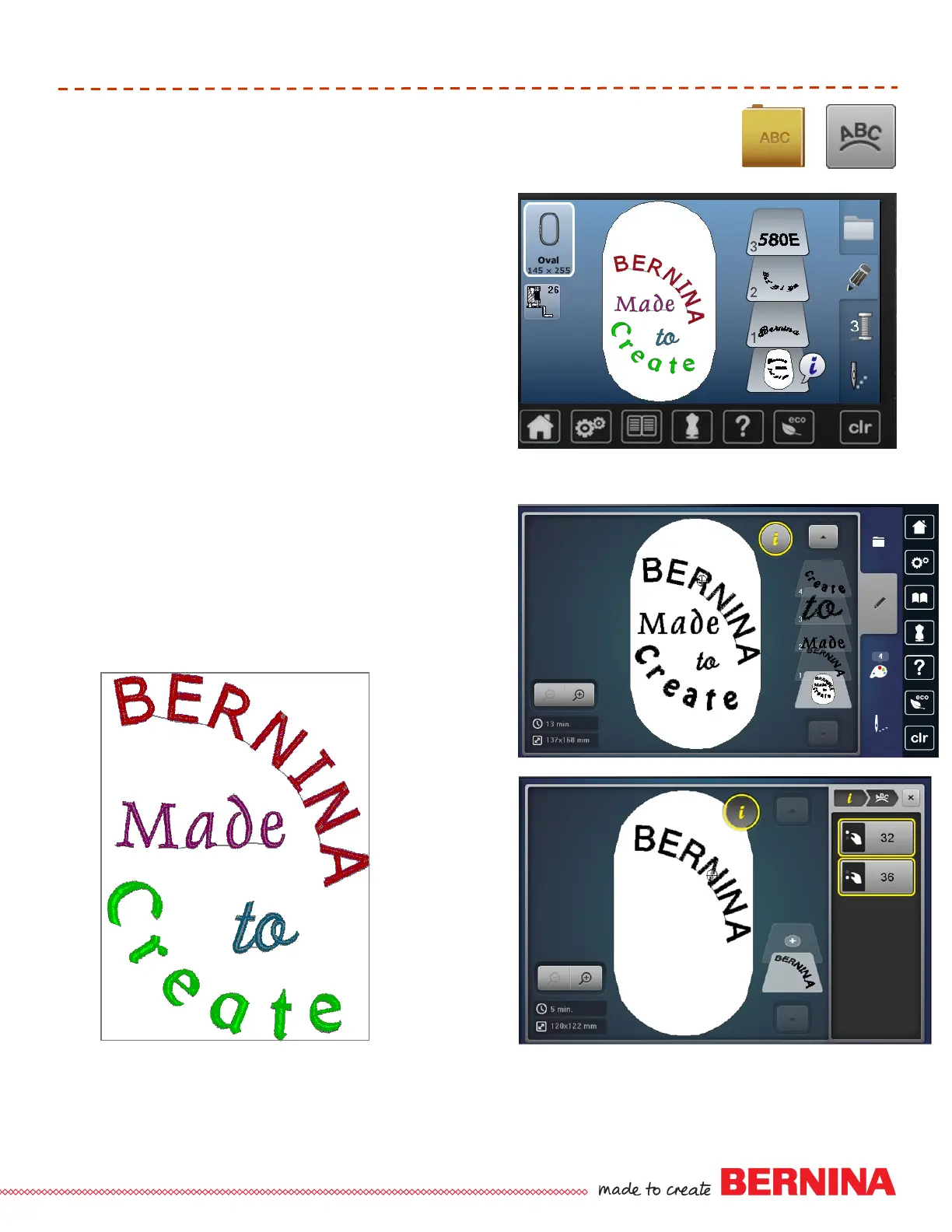
Select Alphabets folder: select a desired font.
Enter BERNINA; touch Green Check to confirm.
Select Hoop icon and select Oval Hoop, close screen.
Touch “i”, Select the Letter Manipulation icon (ABC):
Use the Stitch Width multi-function knob to add space
between each character. Use the Stitch Length multi-
function knob to change the baseline.
Select Add Motif and add each of the following words
one at a time, selecting a desired font and using upper
and lowercase choices: Made; to; Create.
Select each word and manipulate the character
spacing and baseline using the Letter Manipulation
function. Select Rotate icon for additional changes if
desired.
To center the combined design, select the bottom
grouped layer. Select the Move Icon and select the
Center icon.
Select Embroidery Menu and embroider sample.
B 580
B 780, 790, 880













 To Next Page