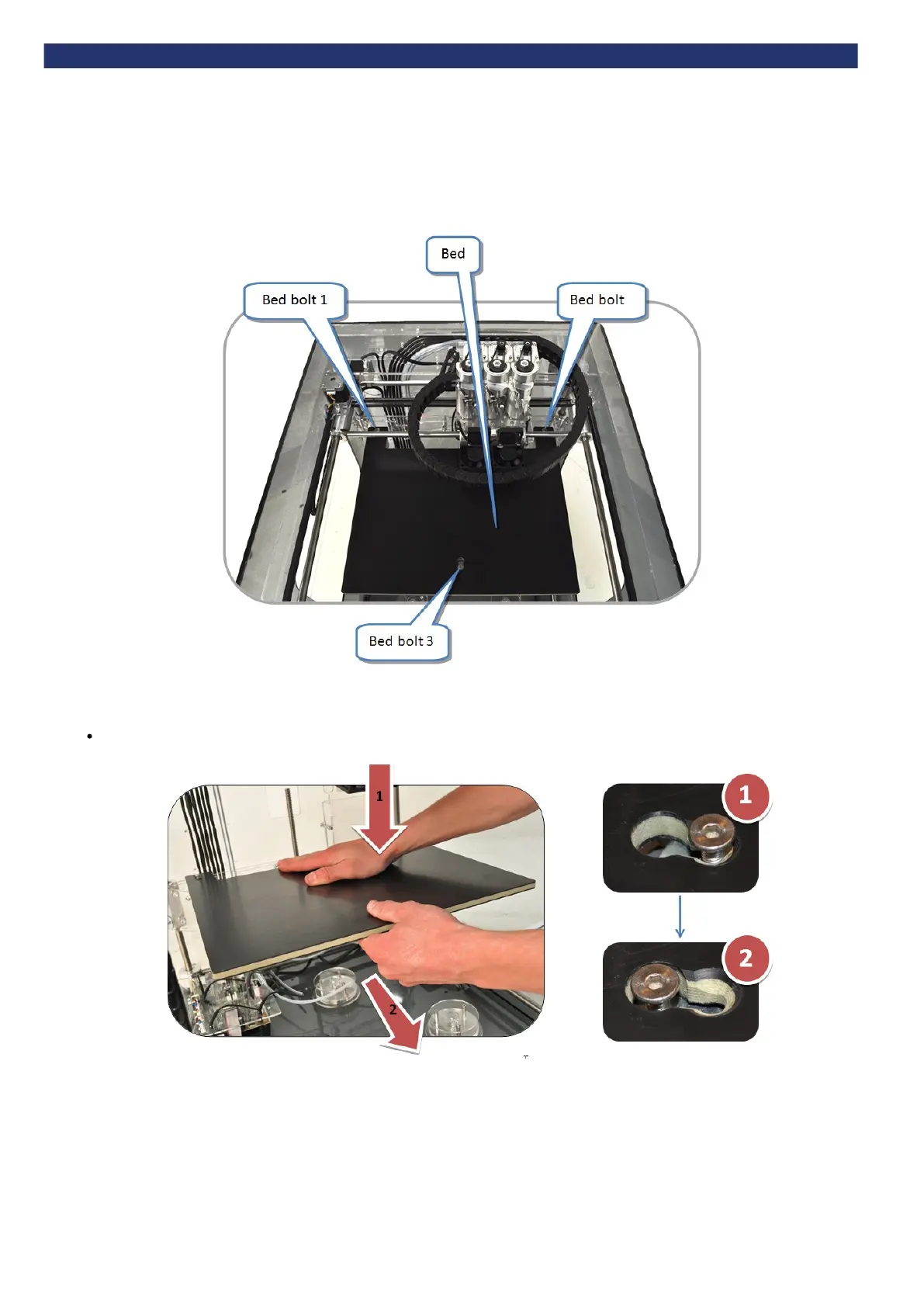
b. Check the print bed is fitted correctly
Ensure that bed is correctly fitted to the printer. The three bed bolt heads should sit flush in the countersinks. If not, remove the bed, then refit it - as
shown in the next two sections.
How to remove the bed
Tip: removal is easier if the bed is near the bottom of the machine. If it is too high, you can manually lower the z-axis (see "Manual move").


 To Next Page