k. How to start a print
Before starting any print, make sure that the all have been completed.pre-print checks
The following sections will ask you to run two test files: a raft check file, and a duck. When asked to print a file you will need to follow the procedure
below:
Insert the memory stick into the 3D Touch USB slot.
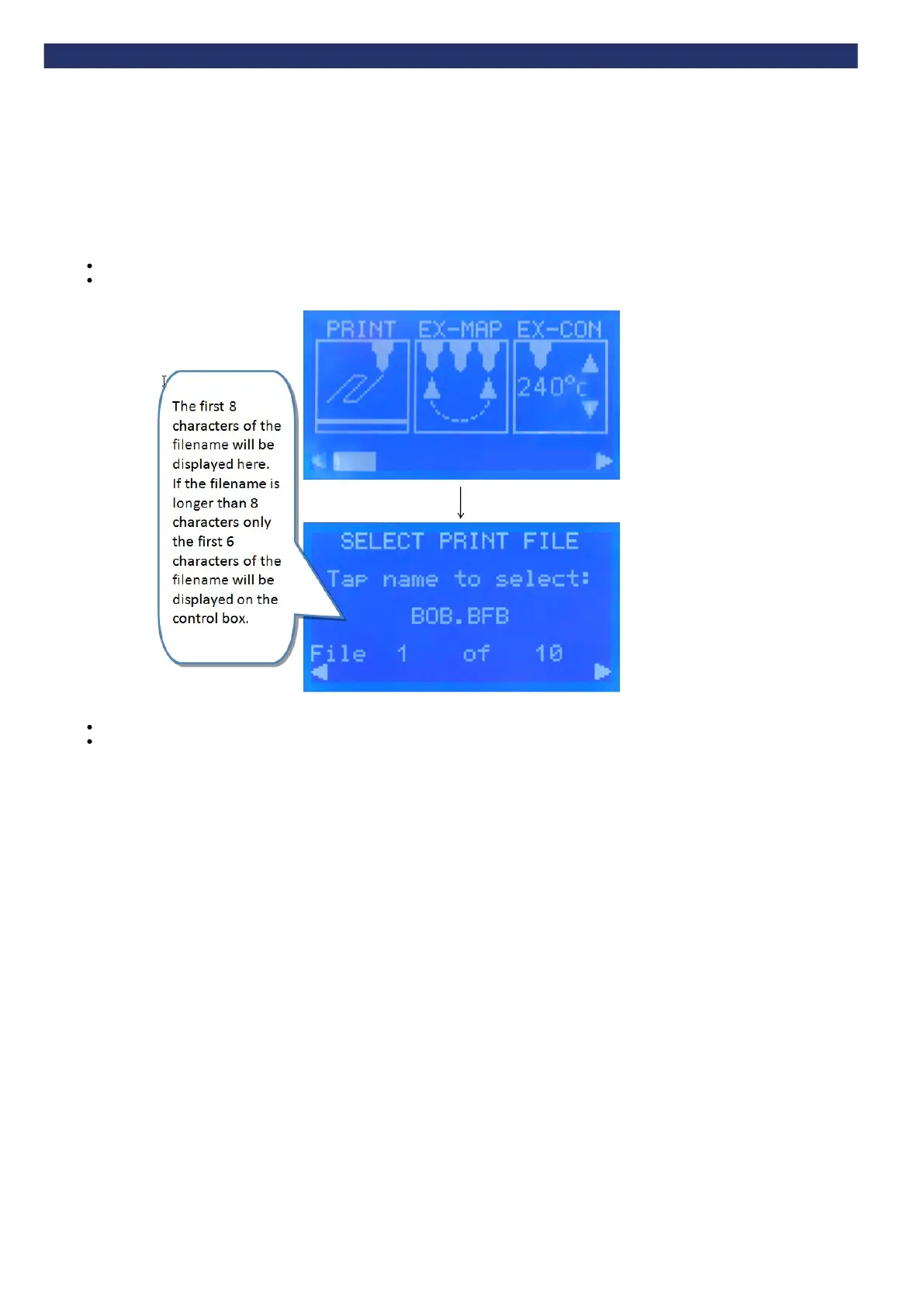
Select the “Print” icon:
Select the correct print file using the left and right arrow keys.
Touch the name of the print file to start the print.


 To Next Page