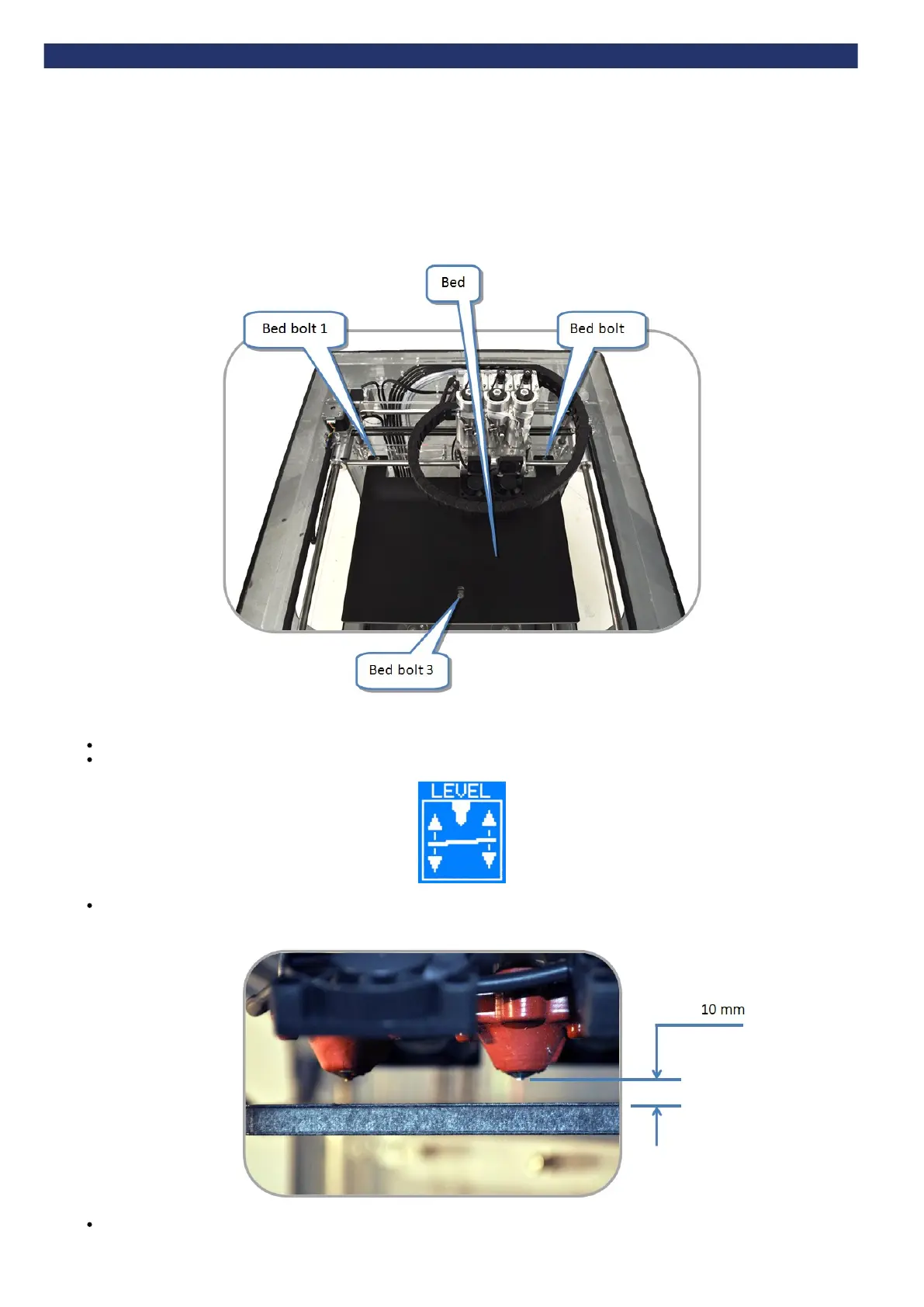
f. Check the print bed is level
To get a good print, the bed must be level.
We make every effort to level the bed before the machine leaves our factory. However, the bed may move in transit, therefore it is essential to check
that the bed is still level.
The print bed is mounted on three sprung bolts which allow adjustment of the bed height in three places.
The 'Level Bed' function moves the extruder carriage around the corners of the bed so the operator can adjust the bed bolts to achieve a level bed.
Check the bed is fitted correctly.
On the touch screen select ‘Level Bed’ function:
Use the Up and Down arrows to raise and lower the bed to adjust the gap between the hot end and bed. Start with approximately 10 mm
distance between the nozzle and the bed. This will enable rough levelling.
Touch the ‘Clockwise’ and ‘Anti-clockwise’ buttons to automatically move the carriage around the corners of the print bed (view on-screen
instructions for more movement options):


 To Next Page