d. Control panel functions
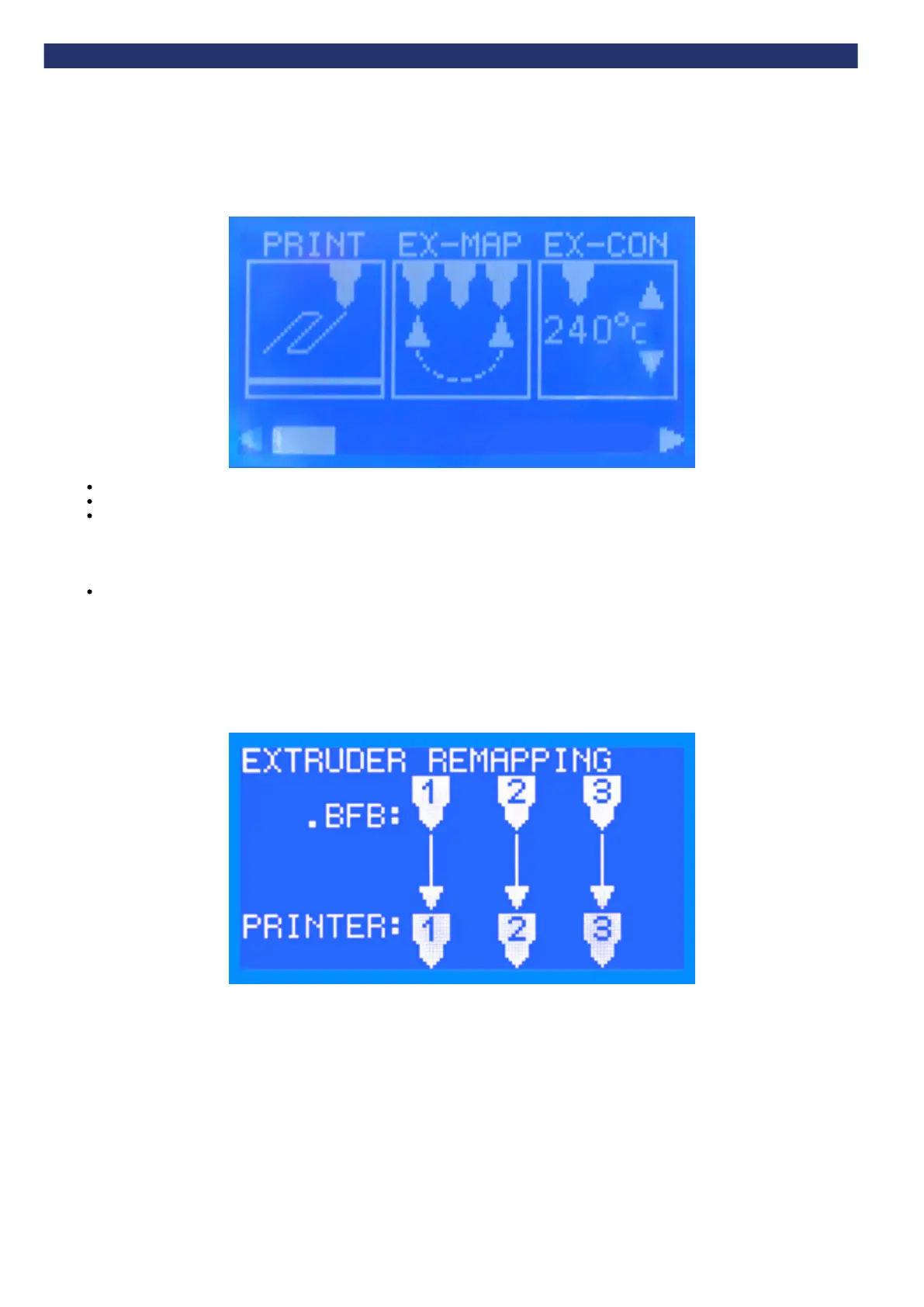
After turning the 3D Touch on, the control panel presents the main menu (below). The following sections describe all the functions.
Use the left and right arrow buttons to scroll through the menu.
Touch an icon to enter a menu.
Press the function button to return to the main menu.
Run file
See .Start a print
Extruder mapping
The extruder remapping menu allows users to reassign extruders between the .BFB file and the physical printer. This makes it possible to switch
materials after compiling the .BFB file without having to physically change the materials over.
For example, a part compiled in Axon could use two materials: ABS for the raft in Extruder 1 and PLA for the part in Extruder 2. However, the printer
is set-up with PLA in Extruder 1 and ABS in Extruder 2. The image below shows the standard mapping for the extruders.
Here the extruders are remapped so that the .BFB file Ex1 is assigned to Printer Ex2 and .BFB file Ex2 to Printer Ex1:


 To Next Page