b. Check print bed flatness
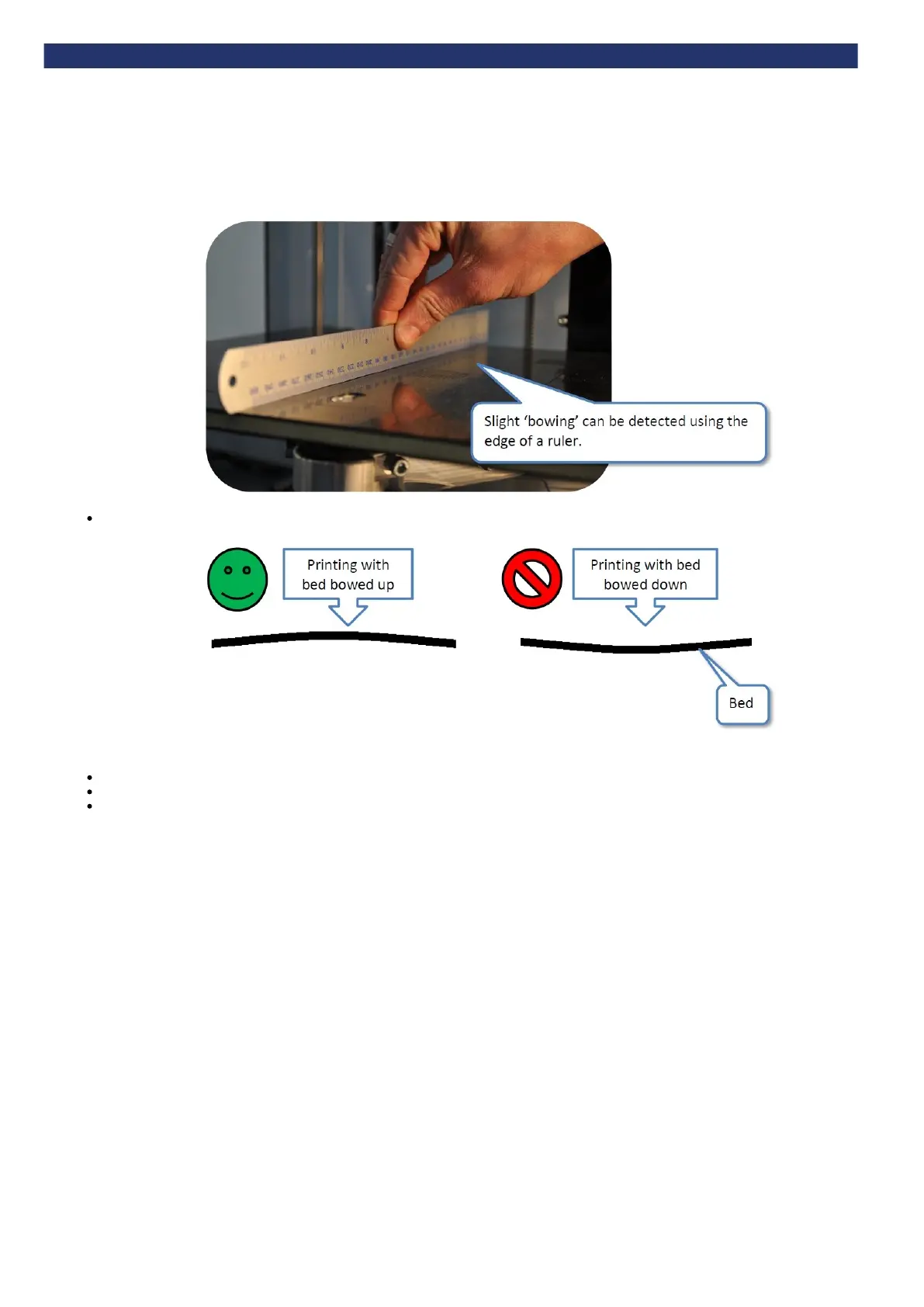
New beds will distort slightly over time due to the heat emitted from the extruder. Check bed flatness with a straight edge (e.g. ruler) after each print:
If the bed is bowed downwards (even slightly) turn the bed over to point the bow of the bed upwards for the next print, as shown below. The
next print will restore the bed's flatness, maintaining a flat bed.
If the bed is turned over:
Check the print bed is fitted correctly
Check the bed is level
Check the bed is referenced to the extruder nozzles


 To Next Page