i. Extruder control
Make sure all extruders are loaded.
Use 'Manual move' (see ) to move the extruders to the centre of the machine, and lower the bed. This makes it easy to cleand. Test all axes
any purged material.
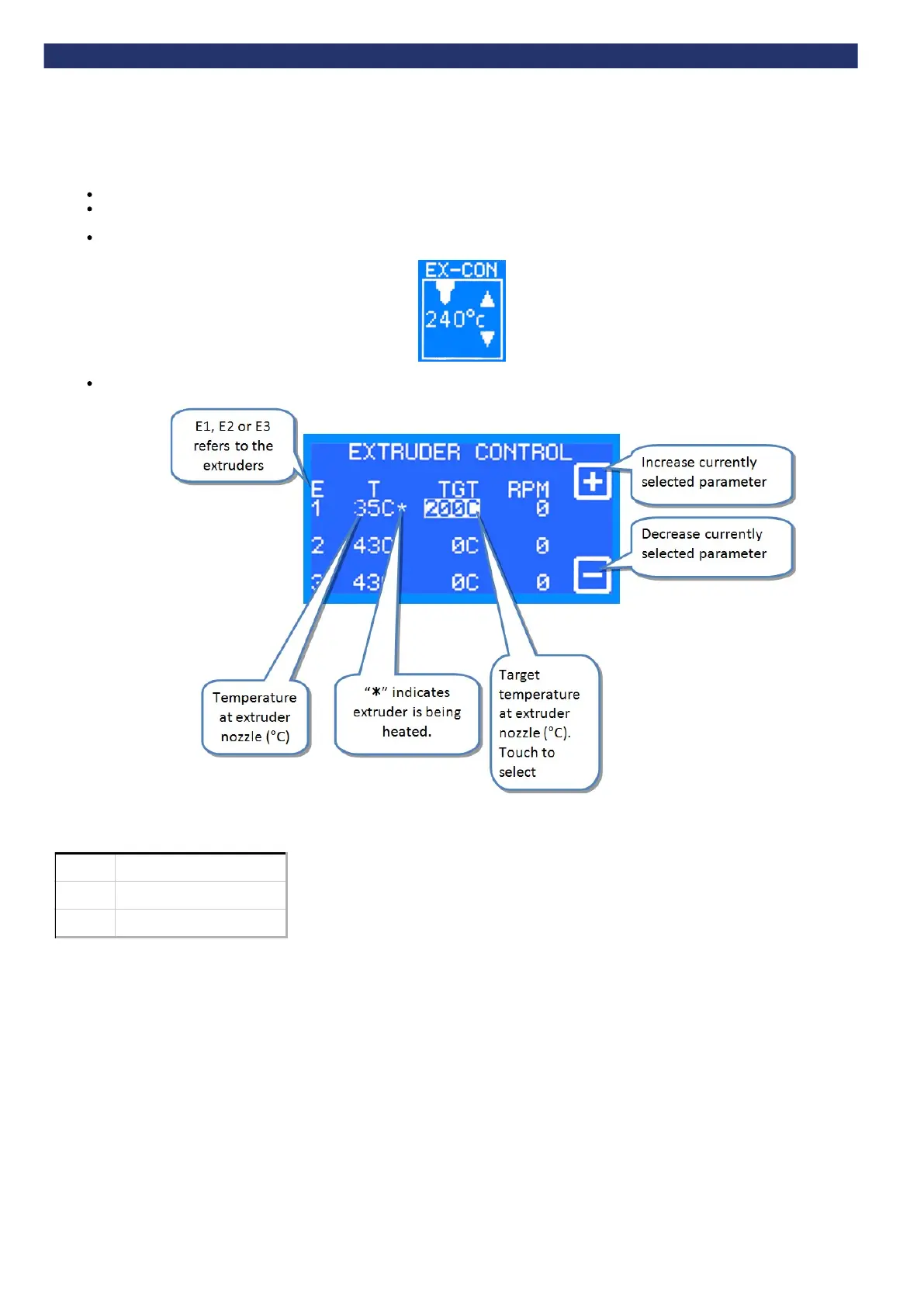
On the control panel select the ‘Extruder control’ function
'Extruder control' manages one extruder at a time (E1, E2 or E3) using the buttons on the control panel.
Recommended maximum extrusion temperatures for materials:
Material Extrusion temperature (°C)
ABS
260
PLA
195
Note: Extruders share power, therefore an extruder will heat up quicker if it is the only extruder with a high target temperature.


 To Next Page