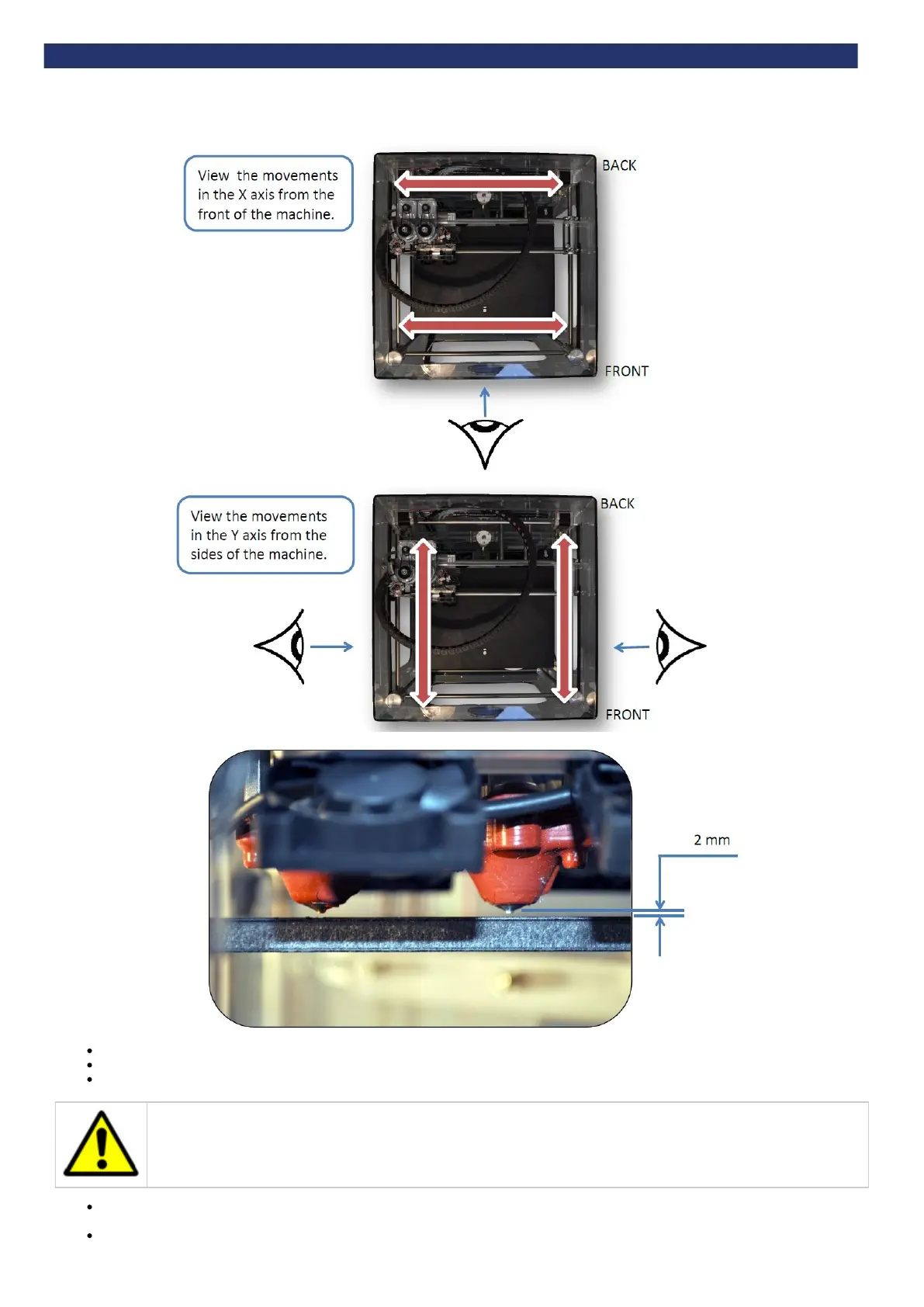
PHOTOGRAPHS TAKEN FROM ABOVE
Use the Up and Down arrows to reduce the gap between the hot end and bed to approximately 2 mm. This will enable finer levelling.
Repeat the levelling process.
Press the Function button to leave the ‘Level Bed’ menu, and return to the main menu.
Caution: Observe each extruder movement. The nozzle should not touch the bed. Moving the extruder with the nozzle touching
the bed will damage the nozzle and the bed. If the nozzle touches the bed, immediately lower the bed using ‘down arrow’ icon.
Finally, check the centre location of the bed by pressing Y+. This can be used to identify an excessively worn or warped print bed as the
height in the middle will differ from the perimeter of the bed.
Press the function button to return to the main menu.


 To Next Page