Shaoxing Bibo Automatic Equipment Co., Ltd.
Tel:+86 575 88918283 Mobile:+86 133 25759139
Url: www.ourbibo.com E-Mail: bibo@ourbibo.com
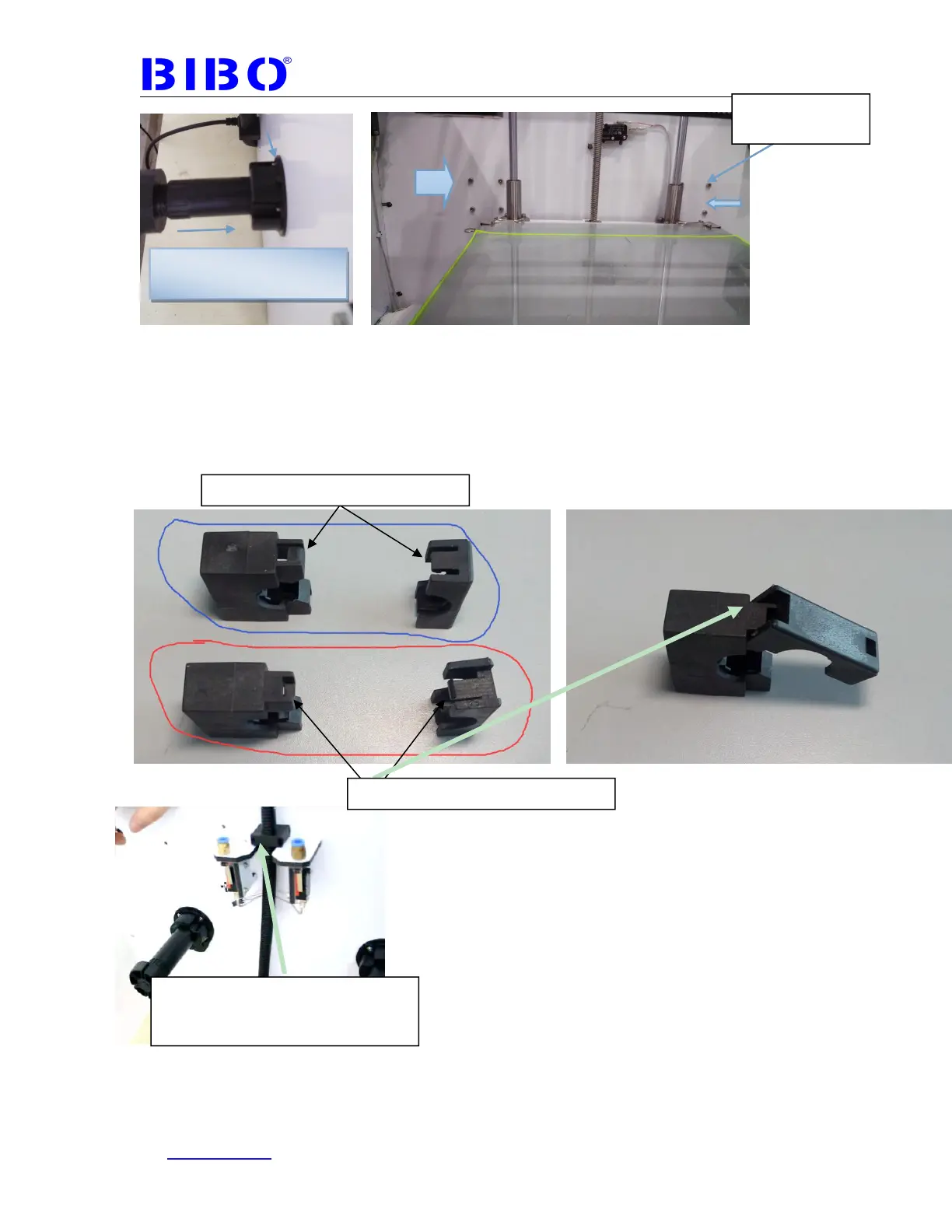
The fourth step is to assemble the extruder wire clamp with 16mm or 12mm
length bolt. We have sent you two clamps. One is to be assembled on the top side
of the printer’s back panel, and the other one is for spare. Please kindly check
the photoes as below. Let the black wire cable be straight (just only a little
tight) . If too loose, the black wire may be not long enough for extruders to travel
inside the printer.
Congratulations! You have completed the initial hardware installation!
For acrylic cover installation, it is in chapter 8. You can install it after first printing
test.
Black tube can be inserted
into black support
This two sides should be locked first
This two side should be locked later
If you want to unlock the clamp, you
can insert allen wrench or
screwdriver to the hole of the clamp



 To Next Page