Shaoxing Bibo Automatic Equipment Co., Ltd.
Tel:+86 575 88918283 Mobile:+86 133 25759139
Url: www.ourbibo.com E-Mail: bibo@ourbibo.com
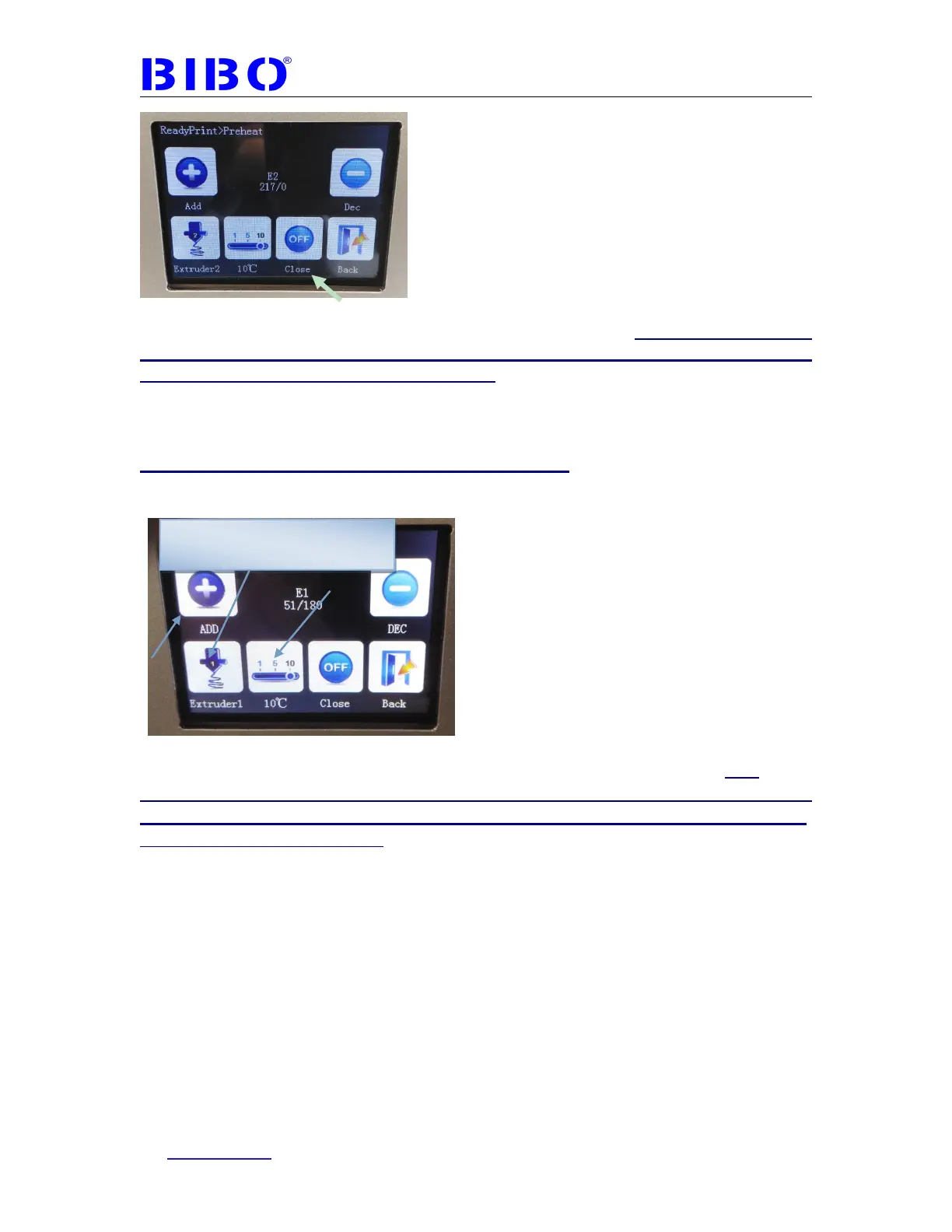
Touch “close” to let the extruder’s temperature come down (if the filament stays
in the hot nozzle for long time, the extruder will be clogged. We should cool
down the extruder after loading filament).
Now loading filament for one extruder is finished.
Another way of loading filament is below:
Touch the “Preheat” button, and you will see
You can choose nozzle Extruder 1(right extruder) and nozzle2 Extruder 2(left
extruder), then set the temperature at 220℃ by “add” button as usual (this
temperature is according to your material type and manufacture’s instruction. For
PLA usually 200
℃
, and for ABS usually 220-240
℃
. It also based on the former
existing filament in the nozzle). Now you will see two extruder’s temperature is
rising.
When the extruders reach 220℃, please push the filament down to the extruder
about 40mm (1.57 inches ) deep by hand. If it is hard for you to push the filament
down, please check the filament whether is straight enough in 40 mm (1.57
inches), and the filament tip is pointed in “V” shape. You can also rotate the
filament inside the extruder and try more times. Usually it will work.
Touch this to choose Extruder1
or Extruder 2 or Bed



 To Next Page