Shaoxing Bibo Automatic Equipment Co., Ltd.
Tel:+86 575 88918283 Mobile:+86 133 25759139
Url: www.ourbibo.com E-Mail: bibo@ourbibo.com
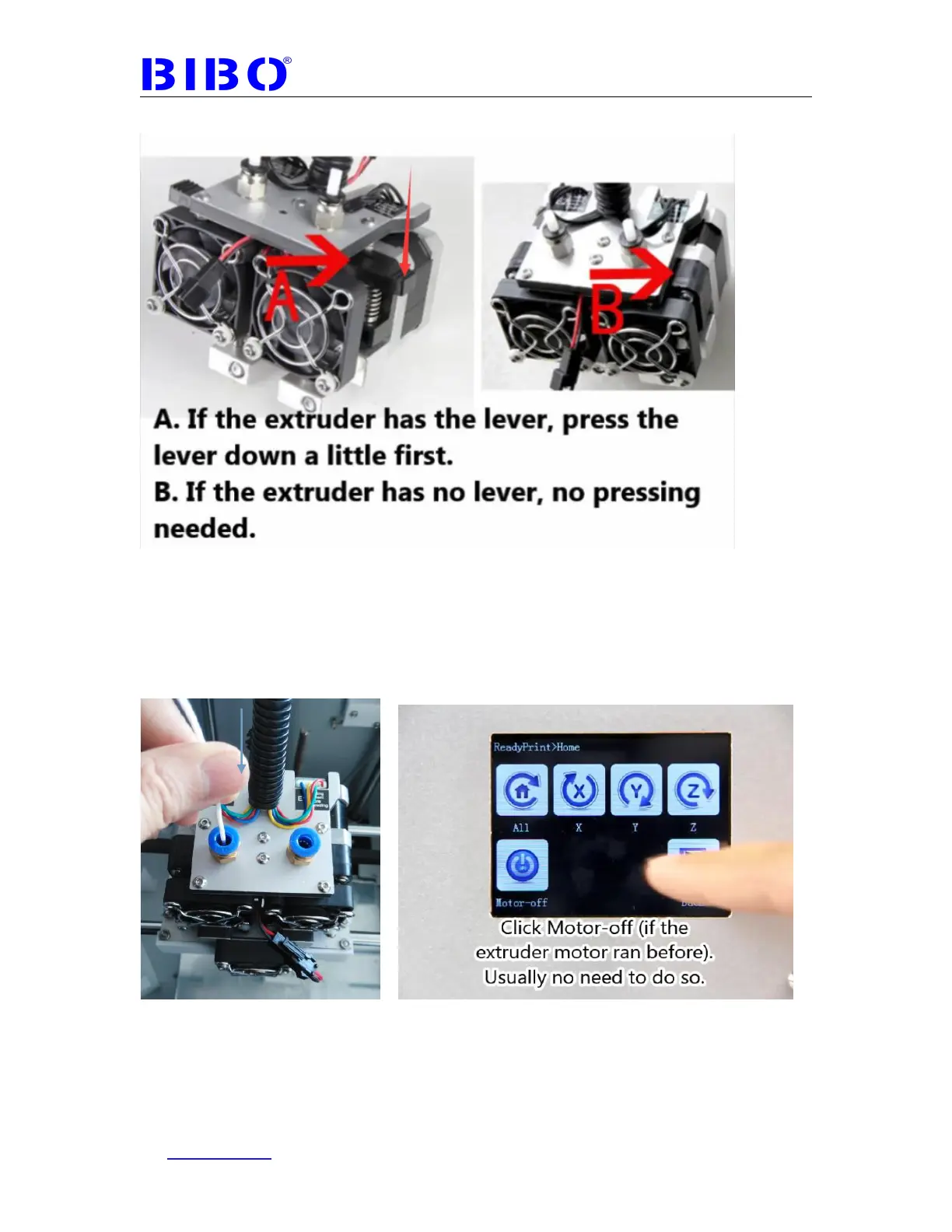
press the lever down a little before pushing the filament into the extruder.
If it is hard for you to push the filament down, please check the filament
whether is straight enough in 90 mm (3.54 inches), and the filament tip is
pointed in “V” shape. You can also rotate the filament inside the extruder and try
more times. Usually it will work. Another cause is that the extruder motor is
locked, you can restart the printer or click “Motor-off” button on the Home menu
in the touch screen.
This is for E2 (left extruder) in the photo above
The filament will come out from the extruder’s brass nozzle. Go back to the main
menu to touch “Preheat” to go to the “preheat” interface again



 To Next Page