Shaoxing Bibo Automatic Equipment Co., Ltd.
Tel:+86 575 88918283 Mobile:+86 133 25759139
Url: www.ourbibo.com E-Mail: bibo@ourbibo.com
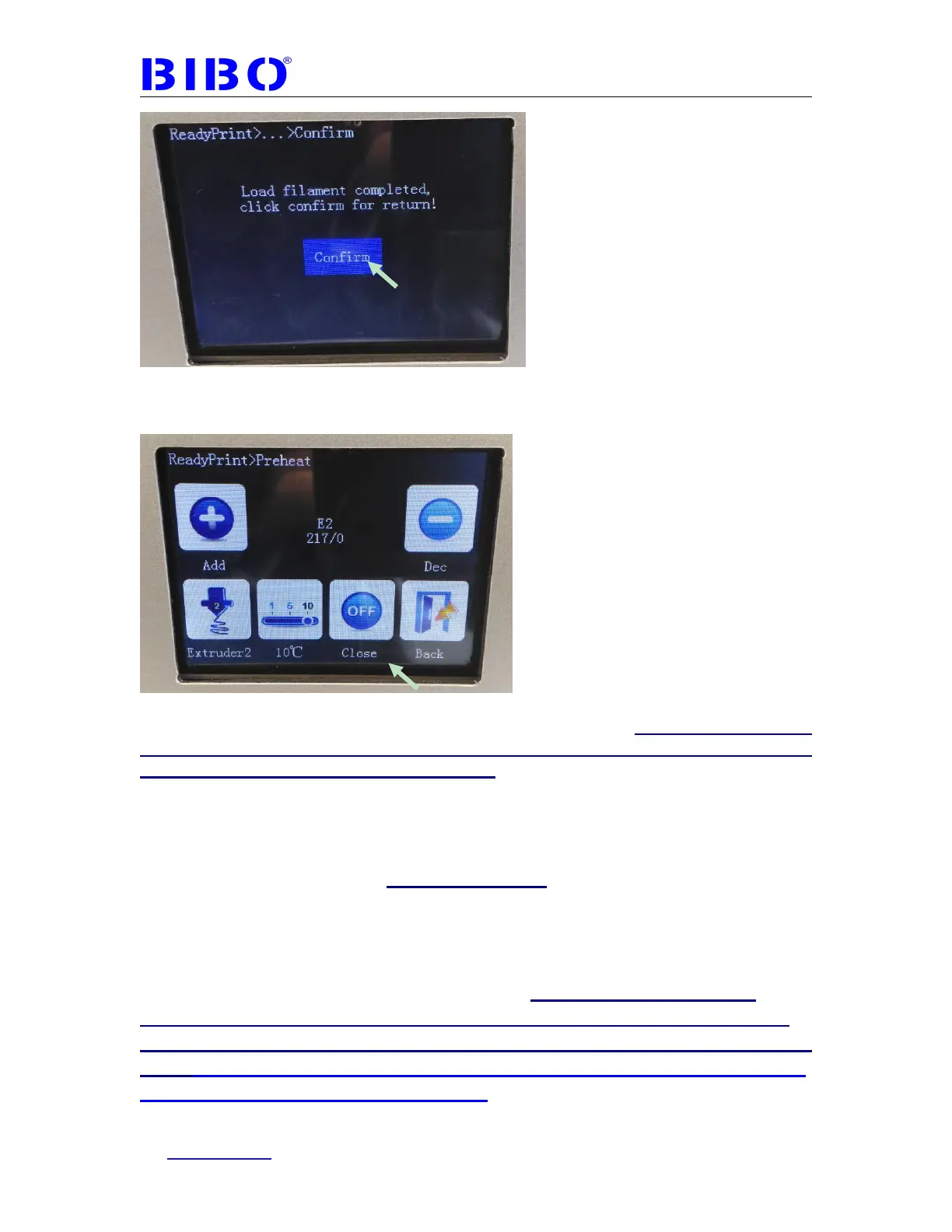
The filament will come out from the extruder’s brass nozzle. Go back to the main
menu to touch “Preheat” to go to the “preheat” interface again
Touch “close” to let the extruder’s temperature come down (if the filament stays
in the hot nozzle for long time, the extruder will be clogged. We should cool
down the extruder after loading filament).
If your printer has the latest touch screen firmware, the extruder will be cooled
down automatically after loading or unloading, so you don’t have to do the above
step to close the heating.
Now loading the filament to the other extruder in the same way.
Unloading filament:
If you want to unload the filament, the operation is the same as loading filament,
heating up the extruder to filament melting temperature such as 220℃ in preheat
menu on the touch screen. The difference is to load the filament first
(Load), then IMMEDIATELY unload the filament (Unload) . This
will reduce the extruder clog risk. The unloading filament video is
here:https://drive.google.com/file/d/1vd5nefRwwZJMfgsBG_WOi
XoQWKL-SlsQ/view?usp=sharing



 To Next Page