Shaoxing Bibo Automatic Equipment Co., Ltd.
Tel:+86 575 88918283 Mobile:+86 133 25759139
Url: www.ourbibo.com E-Mail: bibo@ourbibo.com
Use second extruder for support material
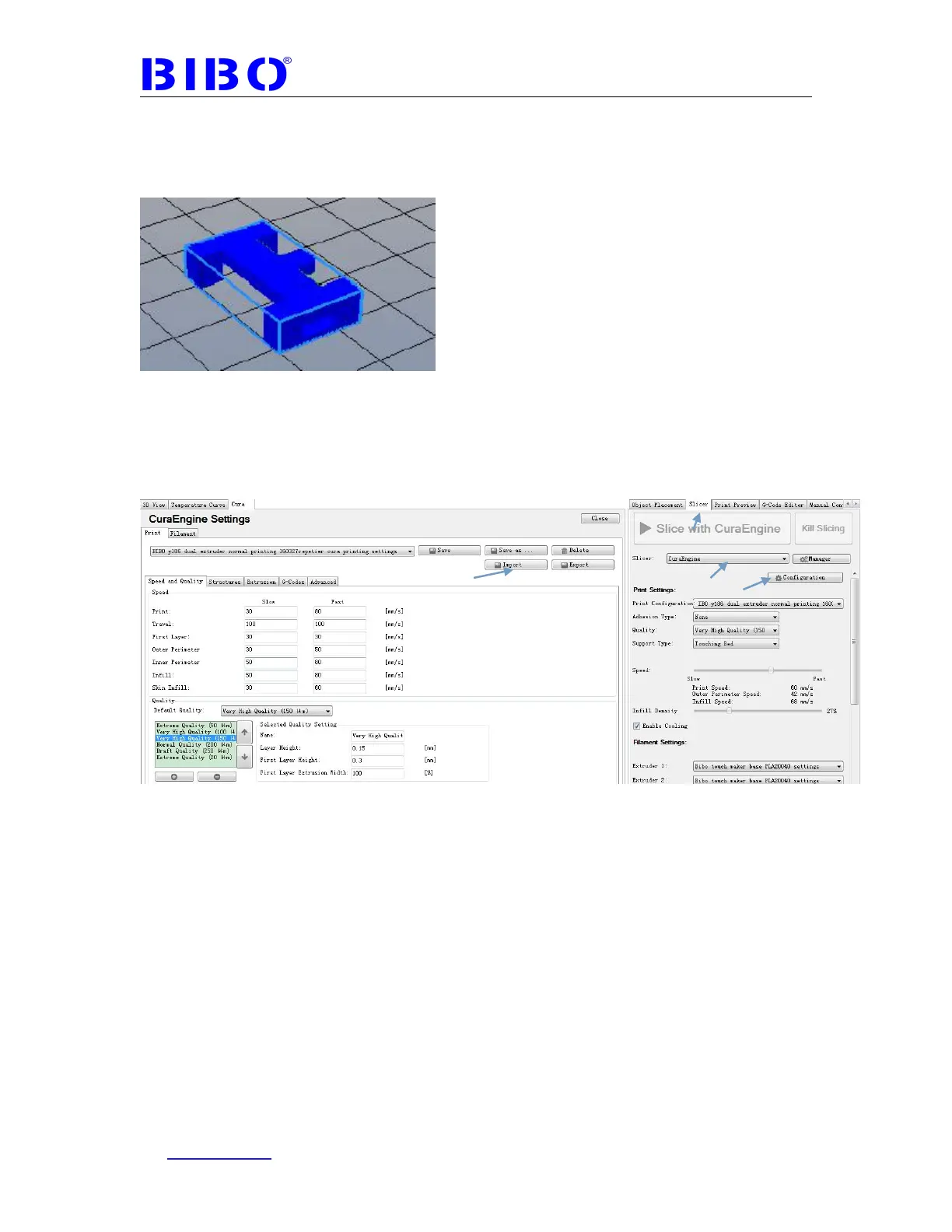
We use this object for reference. This can only be printed well with support
material
Go to the slicer tab and choose the following:
Slicer : CuraEngine
Then click Configuration, choose the Print tab. Click Import button, then import
BIBO y186 dual extruder normal printing 160327repetier cura printing
settings.rcp from SD card’s “BIBO maker and touch repetier cura settings”
folder. You will see our printing settings as the photo below:



 To Next Page