Shaoxing Bibo Automatic Equipment Co., Ltd.
Tel:+86 575 88918283 Mobile:+86 133 25759139
Url: www.ourbibo.com E-Mail:
bibo@ourbibo.com
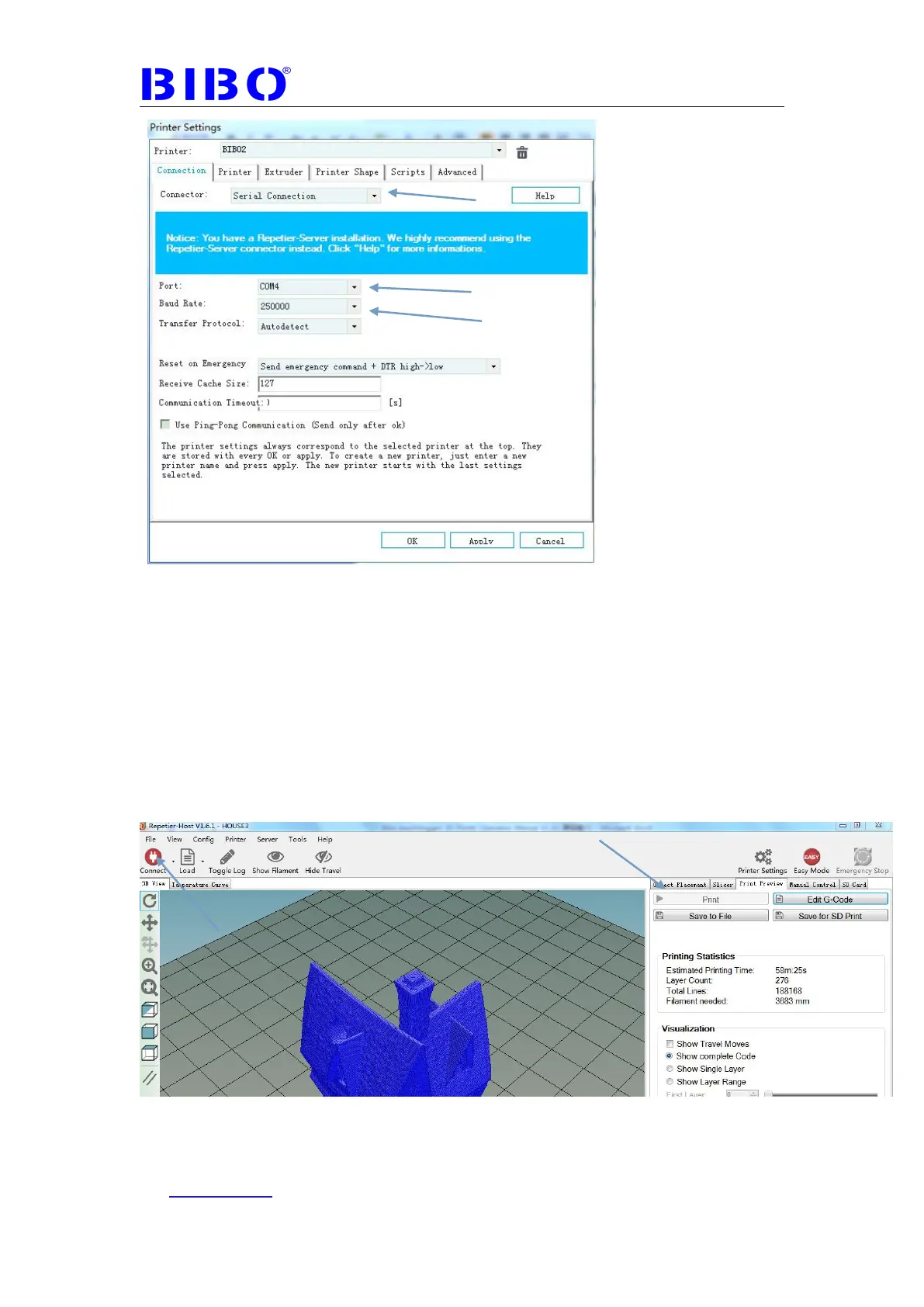
NOTE: what COM-port is present for your printer after installation. If there are
more than one COM ports available, unplug the USB cable of the printer and
then re-plug it in again. Check what port number is appearing and
disappearing. This port number is the port present.
7. Click “Connect”, then this button will be turned to green, it means connected
successfully. Then click “Print”(you already sliced the object), and the printing
will go.



 To Next Page