Shaoxing Bibo Automatic Equipment Co., Ltd.
Tel:+86 575 88918283 Mobile:+86 133 25759139
Url: www.ourbibo.com E-Mail:
bibo@ourbibo.com
B. Cura part:
Download the Cura (should be the version 3.5.1 or 3.6 or 4.0 or above 4.1)
from here: https://github.com/Ultimaker/Cura/tags
If you just want to transfer the gcode file to the printer by cura and you are
using other slicing software, please skip this step. If you want to use cura to
slice the model then transfer the gcode file to the printer through wifi, please
kindly check the configuration steps for BIBO 3D printer
here:https://drive.google.com/file/d/1xgZoQ2T6e91rUAsjxTB_gFdoacw8eSUZ
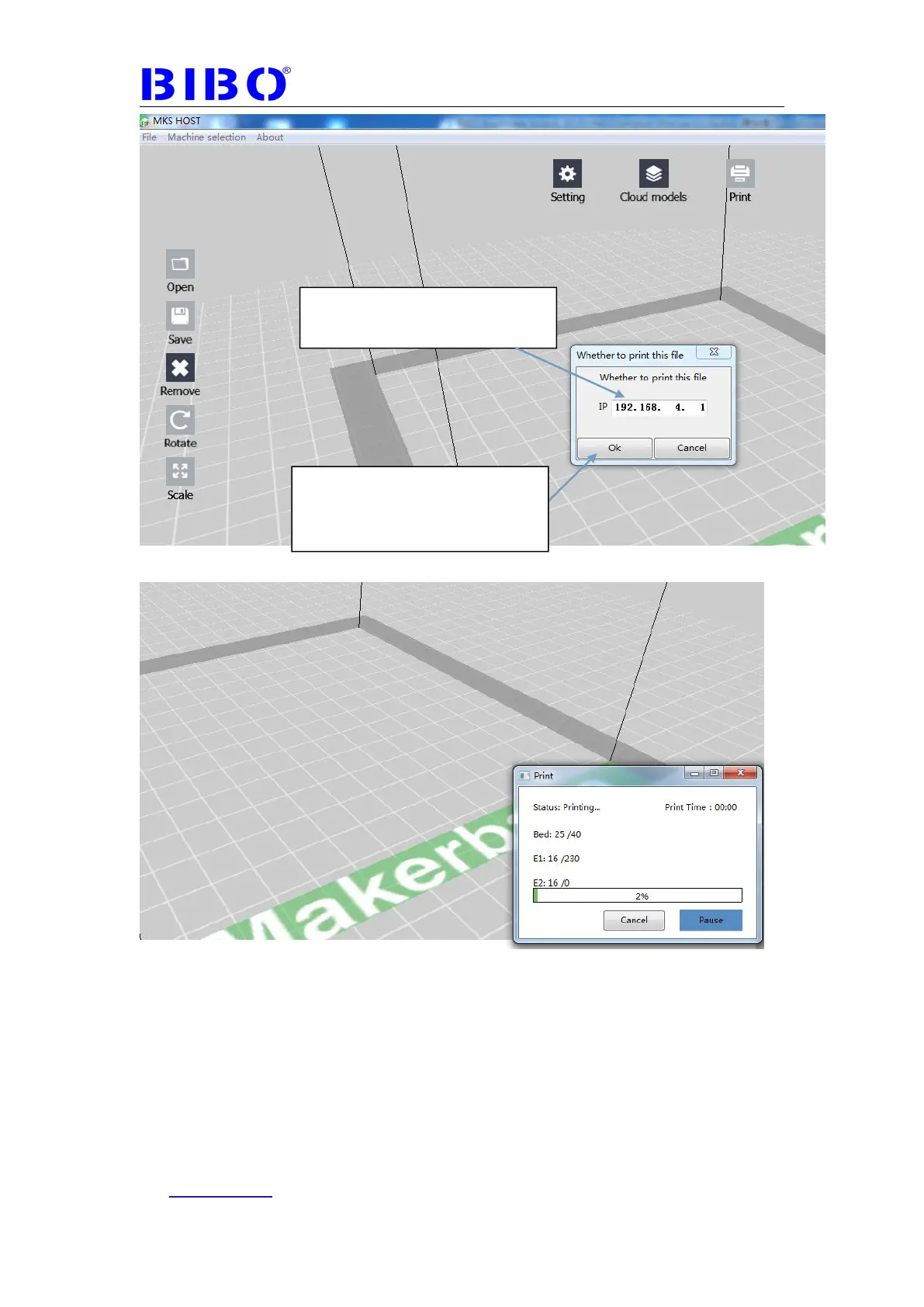
1. Type the IP address showed on
the touch screen here
2.Click ok, then the gcode file will
be transferred to the SD card on the
printer and printing will be started.



 To Next Page