Shaoxing Bibo Automatic Equipment Co., Ltd.
Tel:+86 575 88918283 Mobile:+86 133 25759139
Url: www.ourbibo.com E-Mail:
bibo@ourbibo.com
/view?usp=sharing
There are two ways to install the plugin:
A: On your computer, go to the Cura folder.
Windows: Located in 'program files' folder.
Mac: Located in the applications folder.
Open the folder and find the following file path: Ultimaker Cura/plugins
The plugins folder can be found via Help -> Show Configuration Folder inside
Cura.
Download the plugin here:
The plugin for Cura version above 3.6 :
https://drive.google.com/file/d/1-iF7HX_x0fYkhYUGqQ3Ibcown_N2UEoM/vie
w?usp=sharing
Unzip the plugin, and make sure the plugin file name is MKSWifiPlugin and the
subfiles are directly under the file named MKSWifiPlugin .
Move the entire folder which is named MKSWifiPlugin into the plugins folder.
(Re)start Cura
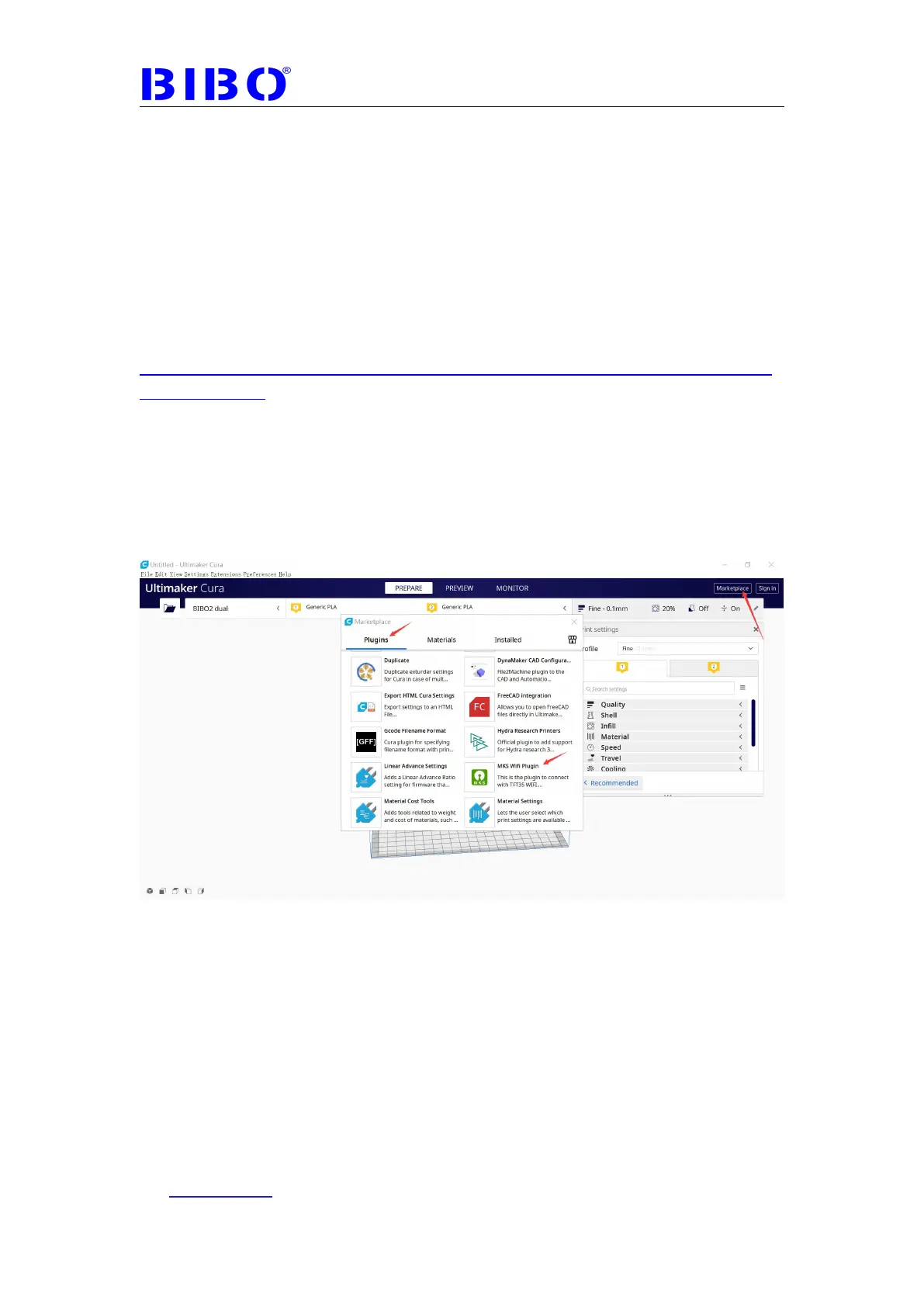
B: Another way is to go to cura’s marketplace to choose MKS Wifi Plugin.
Usually you have to wait for cura to show these plugins.



 To Next Page