Shaoxing Bibo Automatic Equipment Co., Ltd.
Tel:+86 575 88918283 Mobile:+86 133 25759139
Url: www.ourbibo.com E-Mail:
bibo@ourbibo.com
-Change another router as some routers are not stable or compatible with the
printer's wifi module.
Use APP to control printer through WIFI (Android or IOS)
1. Android
There is an APP install file in the SD card’s “Touch Wifi APP for Android”
folder for Android phone users. Please kindly install it first on your phone.
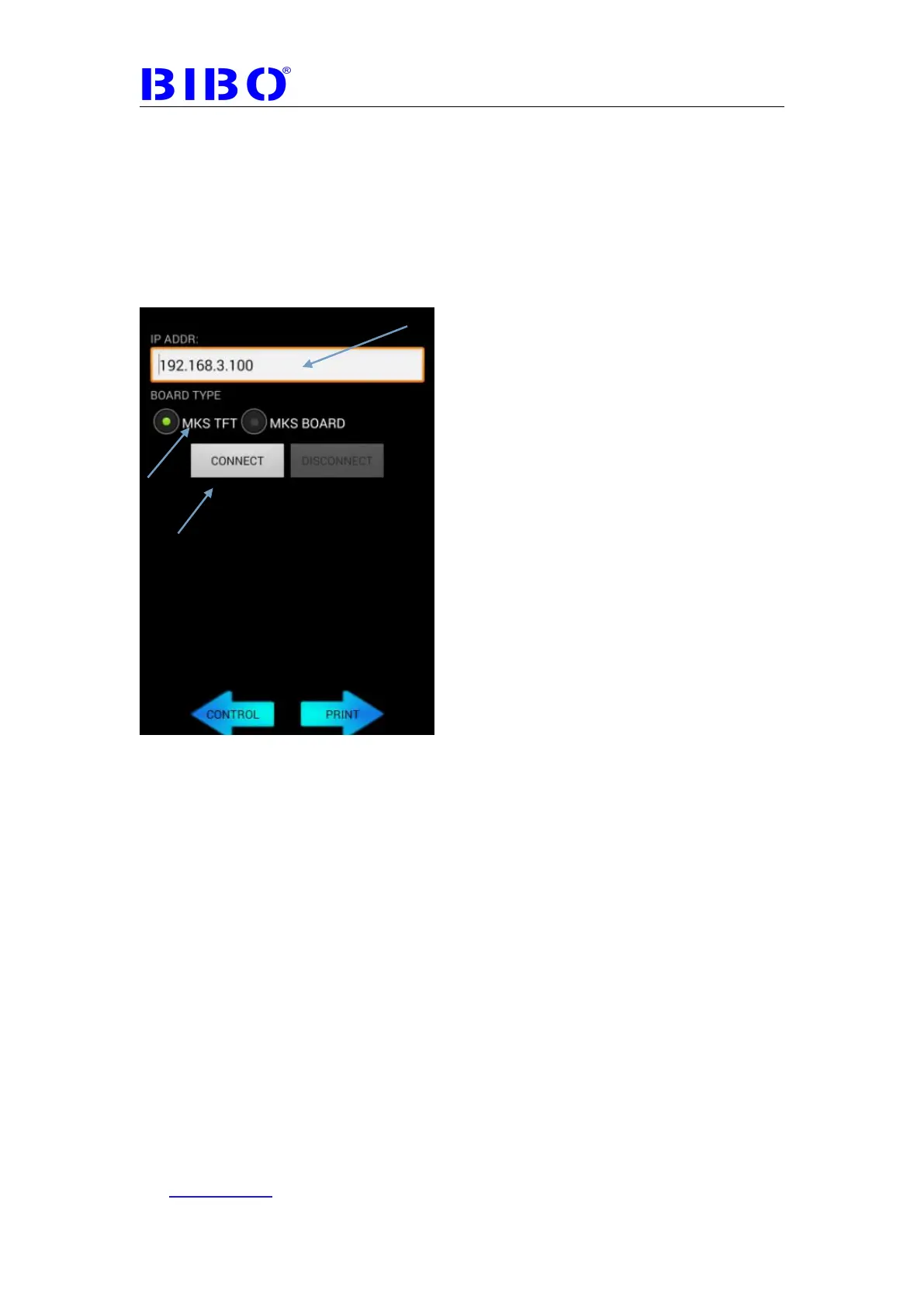
Then open this APP and you will see:
Type the WIFI IP showed on your touch
screen, choose MKS TFT board type and click connect button.(If in WIFI AP
mode, please let your smart phone connect the BIBO 3D printer’s wifi first, to
ensure that your phone and the printer are in the same LAN)
For control the printer, please choose left button “control” and you will see:



 To Next Page