Shaoxing Bibo Automatic Equipment Co., Ltd.
Tel:+86 575 88918283 Mobile:+86 133 25759139
Url: www.ourbibo.com E-Mail: bibo@ourbibo.com
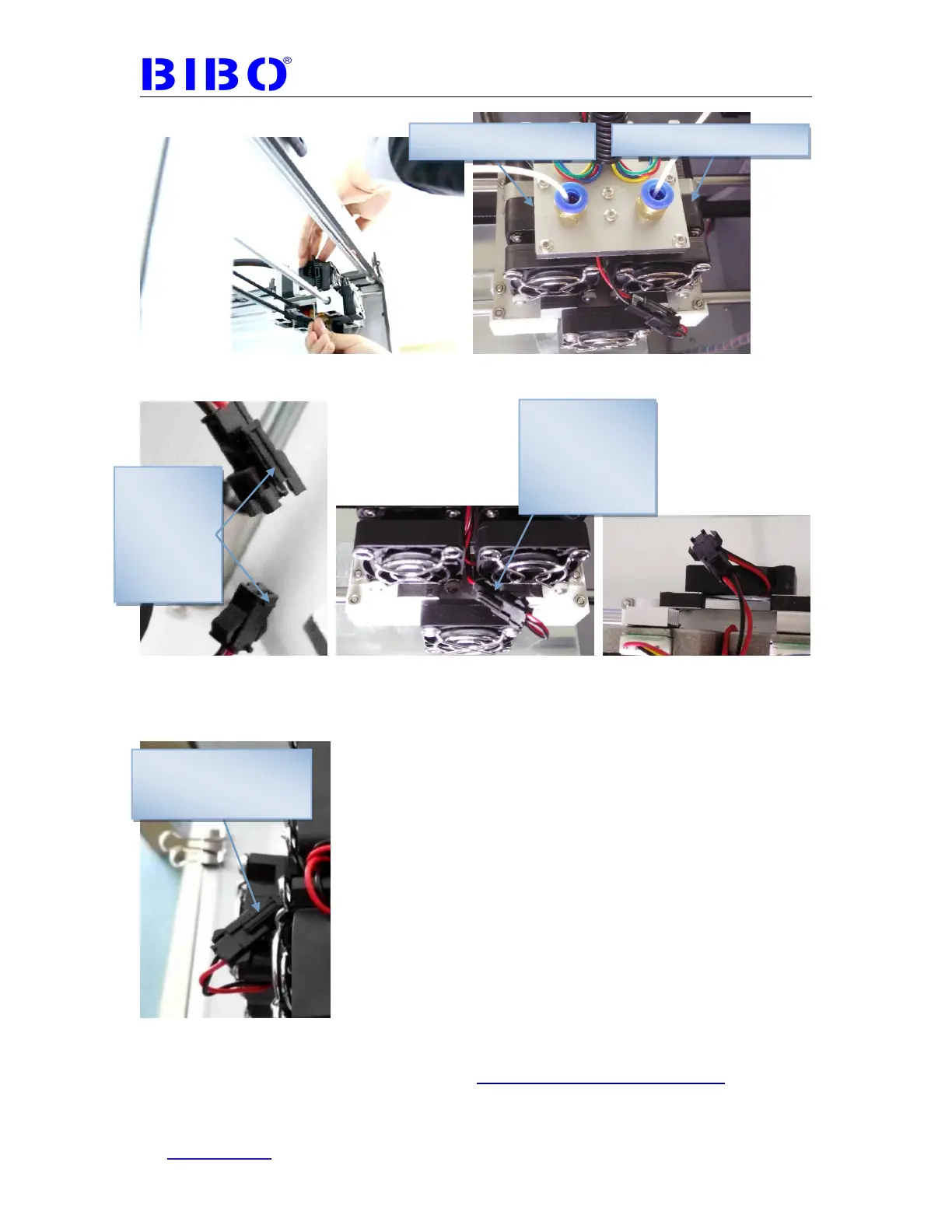
If you want to take the extruders down form the printer, just unlock two black
coupler, no need to remove the cooling fan support, the same as you assemble
the extruder. When you unlock two black coupler, please push the button first then
unlock the black coupler as the photo below:
The second step is to install the filament guide tube support on the back of the
printer with 16mm length bolts and nuts (bolts in a bag marked with 16 ), and do
not connect the black coupler first as the photo below.
These raised
edge sides
should be
connected in
the same
direction
Push this first when
unlock the black
coupler
Extruder1(right extruder)
Put this
connector down
to avoid
knocking the
front panel



 To Next Page