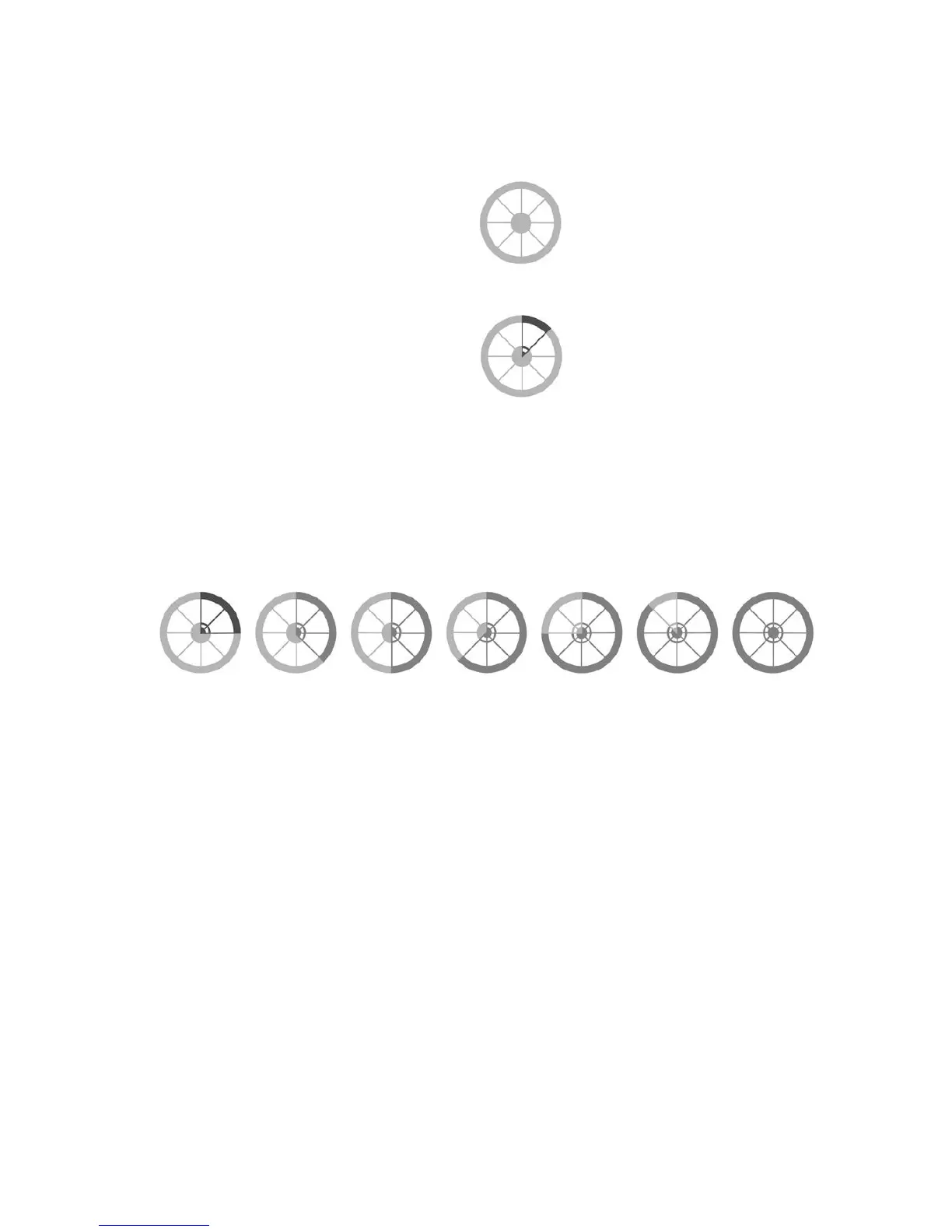
No battery life. Connect to your
charger! See Img.22.
1.
2.
3.
Dark Grey (or Red when viewing
the Gi Fly mobile app) indicates a
low-level battery - less than 20%.
Please connect your bike to your
charger as soon as possible! See
Img.23.
The electric assistance may run with interruptions at low battery levels.Caution
Dark Grey (or Green when viewing the Gi Fly App) battery levels indicate that you have
a relatively signicant amount of battery life left. See Img.24.
iii. Care and maintenance of your LifePo4 battery
Batteries do not last forever. As with any battery, Gi Fly’s LifePo4 battery will slowly deteriorate
over time. LifePo4 batteries begin to degrade from the moment they are manufactured. This is
due to a chemical reaction that gradually causes the internal impedance of the cells to increase,
which, in time, reduces the ability of the battery to deliver its charge. For this reason, a new battery
will always perform better than an older battery. Under proper usage, your LifePo4 battery can
last for more than 4 years.
These guidelines will help you to maximize the lifespan of your battery. Read carefully.
Img. 24
Img. 22
Img. 23
NOTE:
The wheel is colored in either Grey, Red or Green when viewed in the Gi Fly mobile app. Within this
manual, Red is substituted by dark Grey and Green is substituted by light Grey.
Before using your bike’s electric assistance for the rst time, ensure that your battery
is fully charged.
The battery measurements in the Gi Fly mobile app may vary during initial usage. After
ten discharge and charge cycles, the battery indicators will become more consistent.
When the battery life is critically low it will go into a protection mode and the electric
system will stop. In this instance, you should power the system o and connect your
charger.
•
•
•
46



 To Next Page