F — LED lights
NOTE:
When your lighting system is on, the rear light will shine extra bright when you engage the brakes.
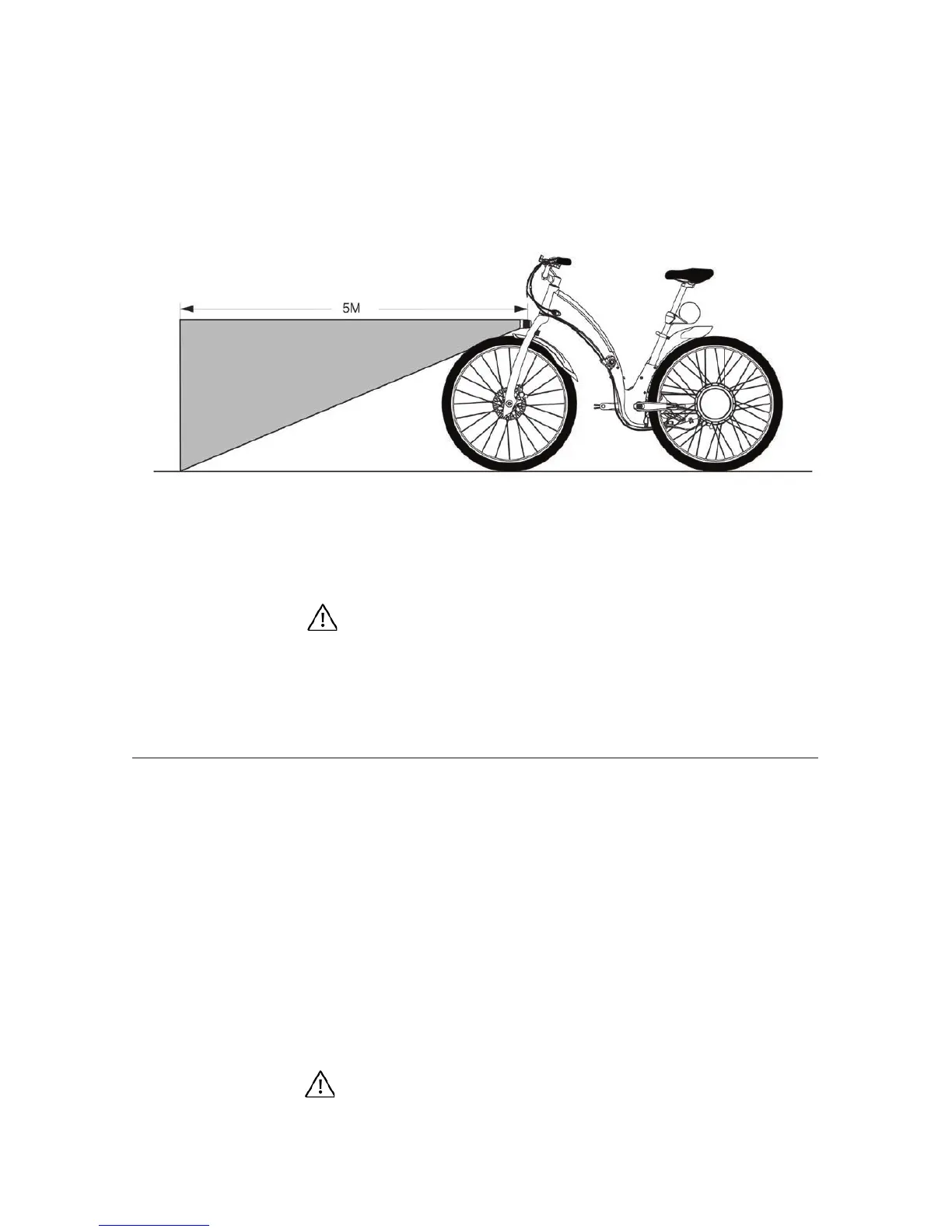
Your Gi Fly comes with front and rear LED
lights. To turn on your lights you must use the
Gi Fly mobile app. Visit the tutorial on the Gi Fly
mobile app for further instructions. See Img.20
for information regarding the range of light
provided by Gi Fly’s front LED light.
Img. 20
LED lights can only be commanded via the Gi Fly mobile app. In the
case that you use your USB key, the bike’s settings will be the same
as the settings last congured via the Gi Fly mobile app. For exam-
ple, if you last congured your bike to have the lights on, then your
lights will turn on when you use the USB key.
Caution
G — Gi Fly’s smart locking system
Gi Fly has an integrated, mechanical lock within its frame. The locking system refers to the ability
to fold and unfold the bike. When the locking system is activated and the bike is folded, only those
with the ability to deactivate the locking mechanism will be able to unfold the bike. That is, a bike
thief could theoretically walk away with a folded bike, but they would never be able to unfold the
bike without breaking or damaging it.
There are two general ways to lock and unlock Gi Fly –via the Gi Fly mobile app and via the USB key.
You should lock the folded bike to ensure that others cannot unfold
your bike and ride. Do not lock your unfolded bike and leave it unat-
tended because someone would still have the ability to ride it.
Caution
40



 To Next Page