31
5 |
6 |
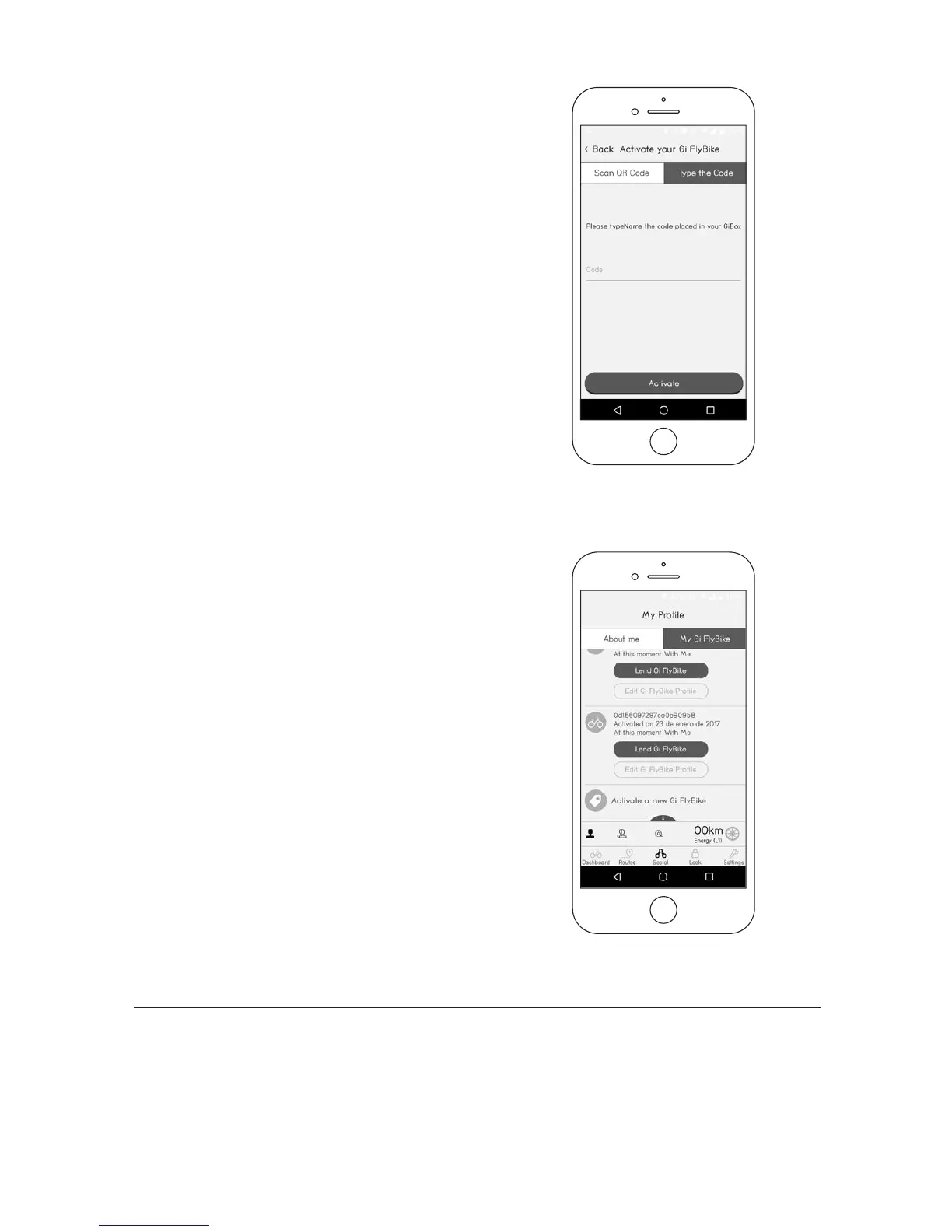
If you have already activated a Gi
Fly but would like to activate an-
other bike, you should go to Social
(bottom row of buttons) > My Gi Fly-
bikes (top right button) and press
“Activate a new Gi Fly” (towards bot-
tom of screen). See Img.12.
In case you are not able to scan the
QR code, you can activate the bike
manually by clicking “Type QR code”
at the top of the screen (Img.11).
Enter in your bike’s QR code num-
ber (see Section 9.B for the location
of the QR code number) and then
press “Activate.”
Img. 11
Img. 12
D — Using your USB key for the rst time
Every Gi Fly comes with a unique USB key. The USB key is a tool that allows you to use your Gi Fly
without the use of your smart phone.



 To Next Page