NOTE:
The rider can command the bicycle with the mobile app so long as the phone is less than 5 meters
away from the bike. In other words, you can maintain control of the bike via the mobile application
even if your phone is in your pocket, backpack, etc.
Don’t try to change your level of the electric assistance or any of the
Gi Fly mobile app’s settings while you are riding the bicycle. The app
is not designed to be used while you are riding. Doing so could dis-
tract you from the road and cause serious injury and death.
Warning
Use caution when charging your phone and riding Gi Fly at the same
time. Your USB cord could get caught in Gi Fly’s wheels. This could
result in hazardous riding and potential injury.
Warning
If you are riding Gi Fly in the rain or under wet conditions, then you
should not have your phone in the bike’s phone holder as your pho-
ne will get wet and break. When riding in the rain, put your phone in
your pocket, backpack, etc. The rider is responsible for any damage
their phone incurs while using Gi Fly.
Caution
The cell phone holder is designed to be used on urban streets.
Riding in rougher terrain could force your phone to fall out of the cell
phone holder, causing serious damage to your phone.
Caution
Be aware that when your phone is located in the bike’s phone holder
it is visible and accessible to those around you. Your phone may be
susceptible to theft while in the holder. Be careful!
Caution
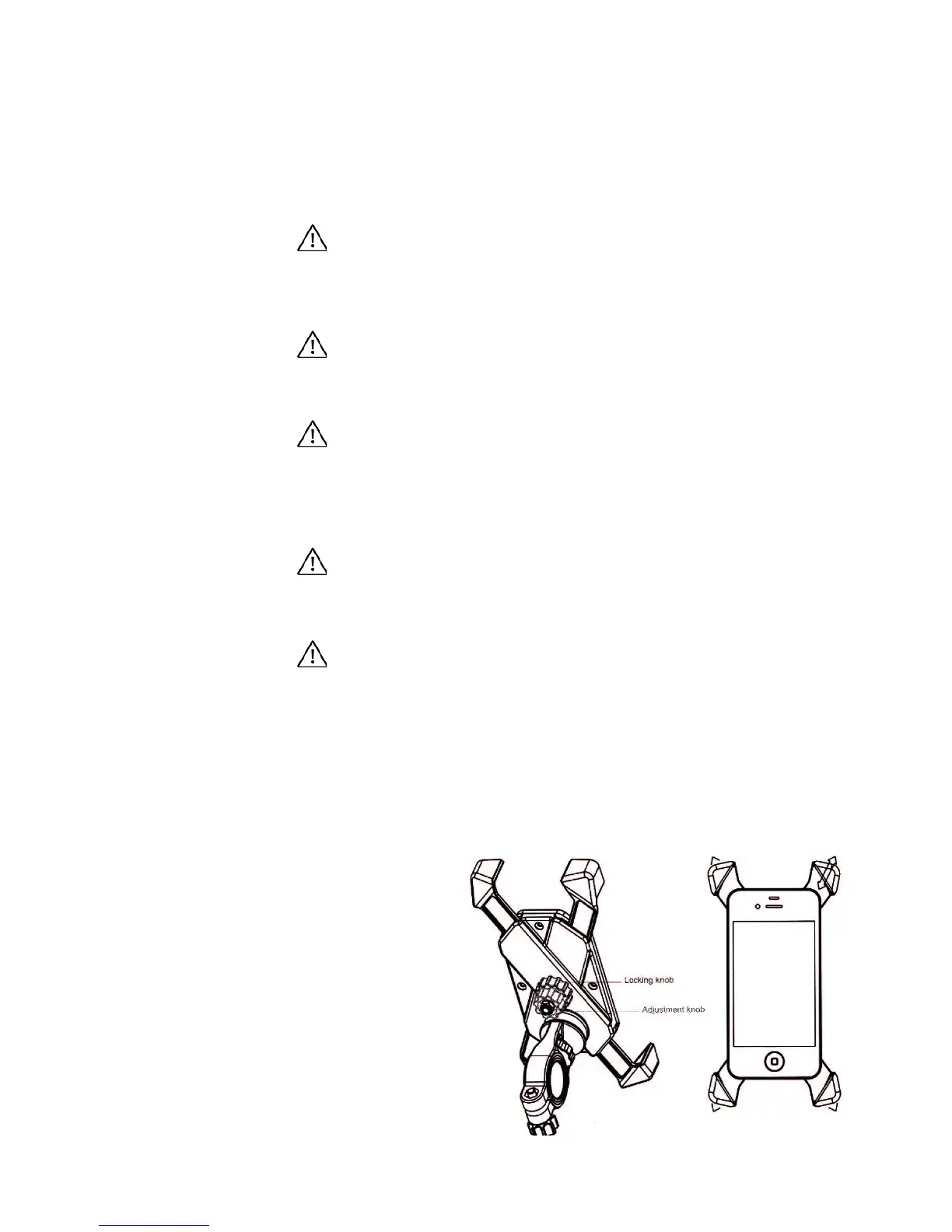
Loosen the “locking knob” and then widen the four corners of the holder via the
“adjustment knob” so that your phone ts within the frame (See Img.39).
To adjust or remove the phone:
1.
2.
3.
4.
Img. 39
Place your phone in the front of
the phone holder.
Tighten the four corners of the
holder via the “adjustment knob”
to lock your phone in place.
Lock the “locking knob.”
58



 To Next Page