5 BigRep User Interface BigRep ONE
66
a. Load a G-Code from a storage device connected to the USB port.
b. Sort files alphabetically or by date
c. Remove a specific file from the list
d. Print a specific file
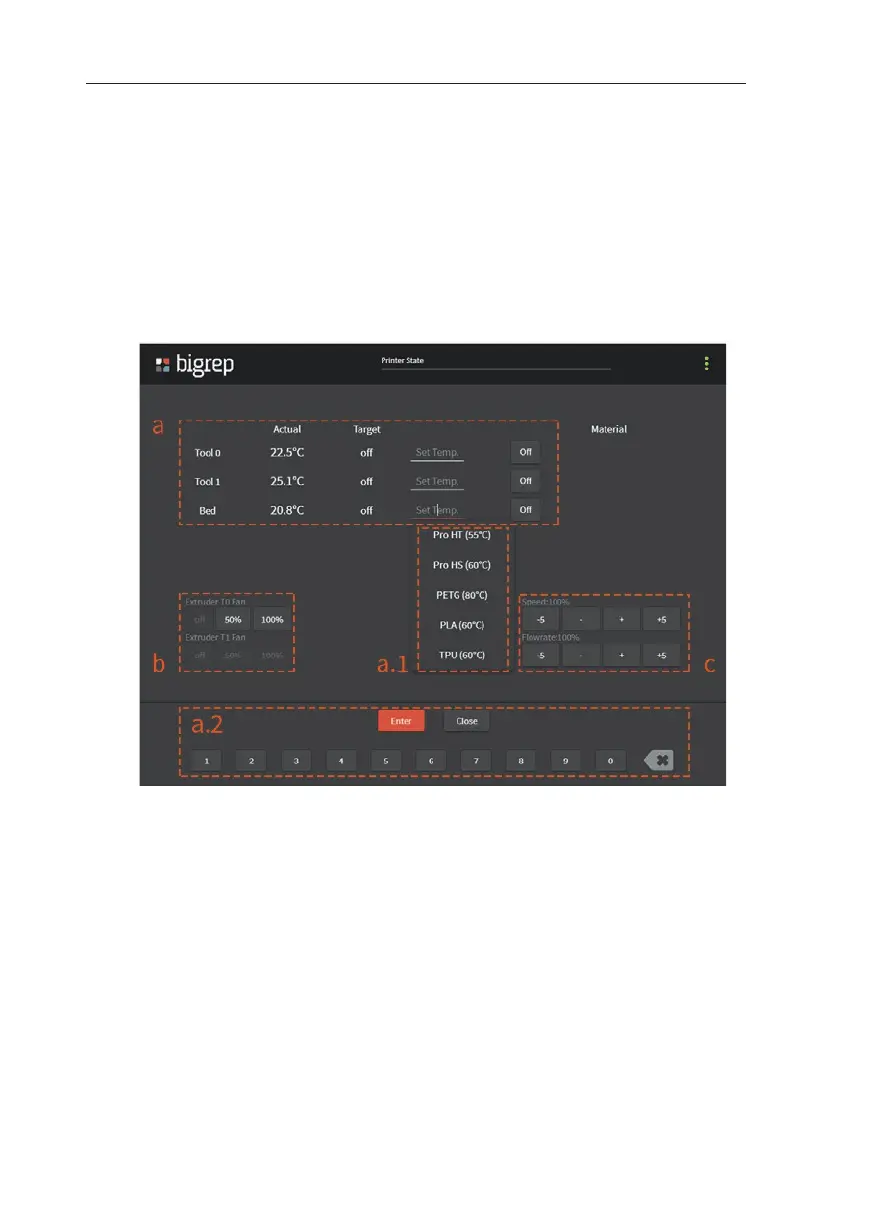
Temperature Menu
The most important parameters of a print are set in the Temperature Menu. This
menu will remain active and all values can be varied during a print.
a. Set the bed and extruders temperature.
Use one of the pre-configured temperatures (a.1),
or type in a specific temperature (a.2)
b. Change the extruders fan speed
c. Change the print speed and flowrate for the current print
Fig. 5-3: Temperature Menu



 To Next Page