BigRep ONE 5 BigRep User Interface
67
Control Menu
The Control Menu will stay blocked during the print.
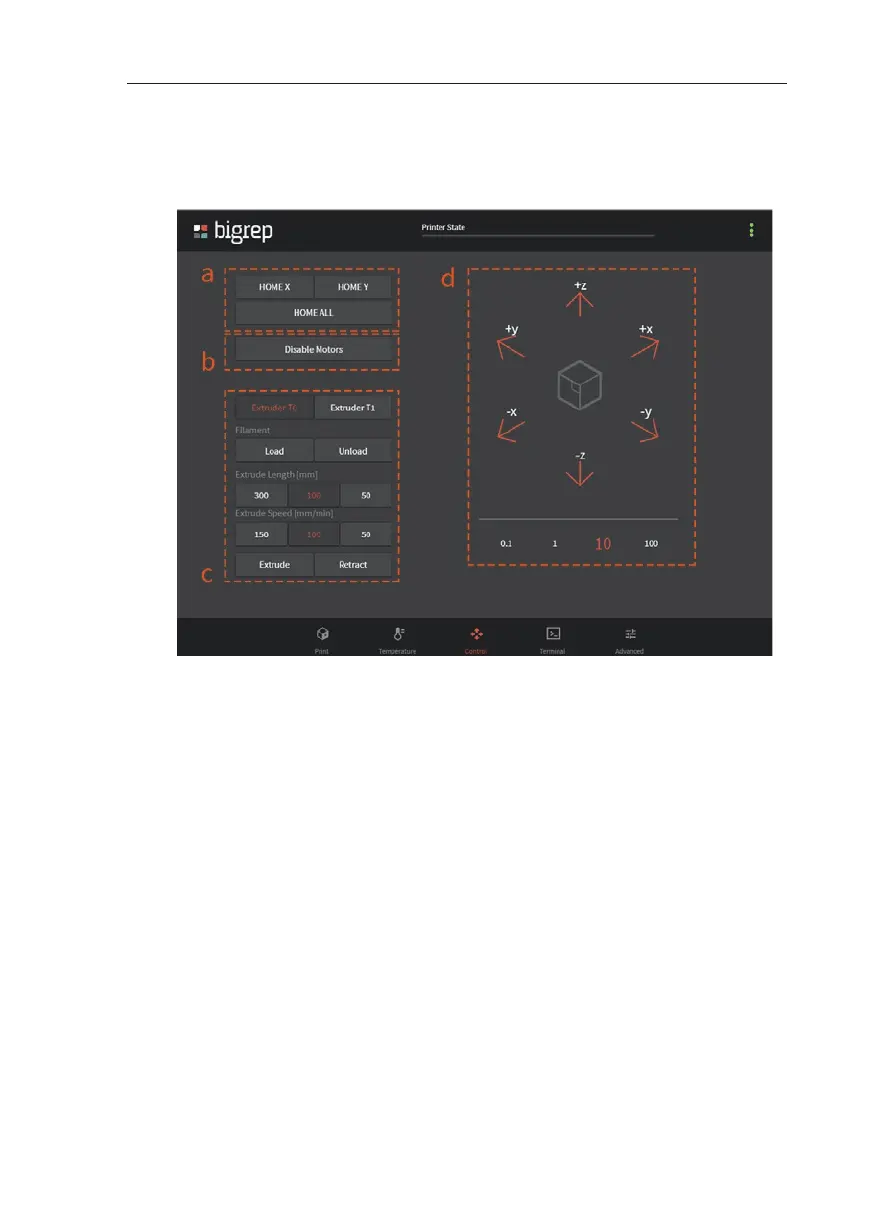
a. Home Options
HOME X / HOME Y: Moves extruders to X or Y home position.
HOME ALL: Moves extruders to their X-, Y-, and Z- home position
b. Disable Motors
Allows the user to move the axis manually by hand
c. Extrude/Retract
Select the extruder tapping on Extruder T0 or Extruder T1. Load or
Unload to load or unload your filament and extrude or retract
50, 100, 200 mm with 50, 100 or 150 mm/min to test the extruder.
d. Extruders Movement Control
Press the arrows to move the extruders. Select the travel distance
using the numbered buttons under the XYZ-Control.
Fig. 5-4: Control Menu



 To Next Page