102
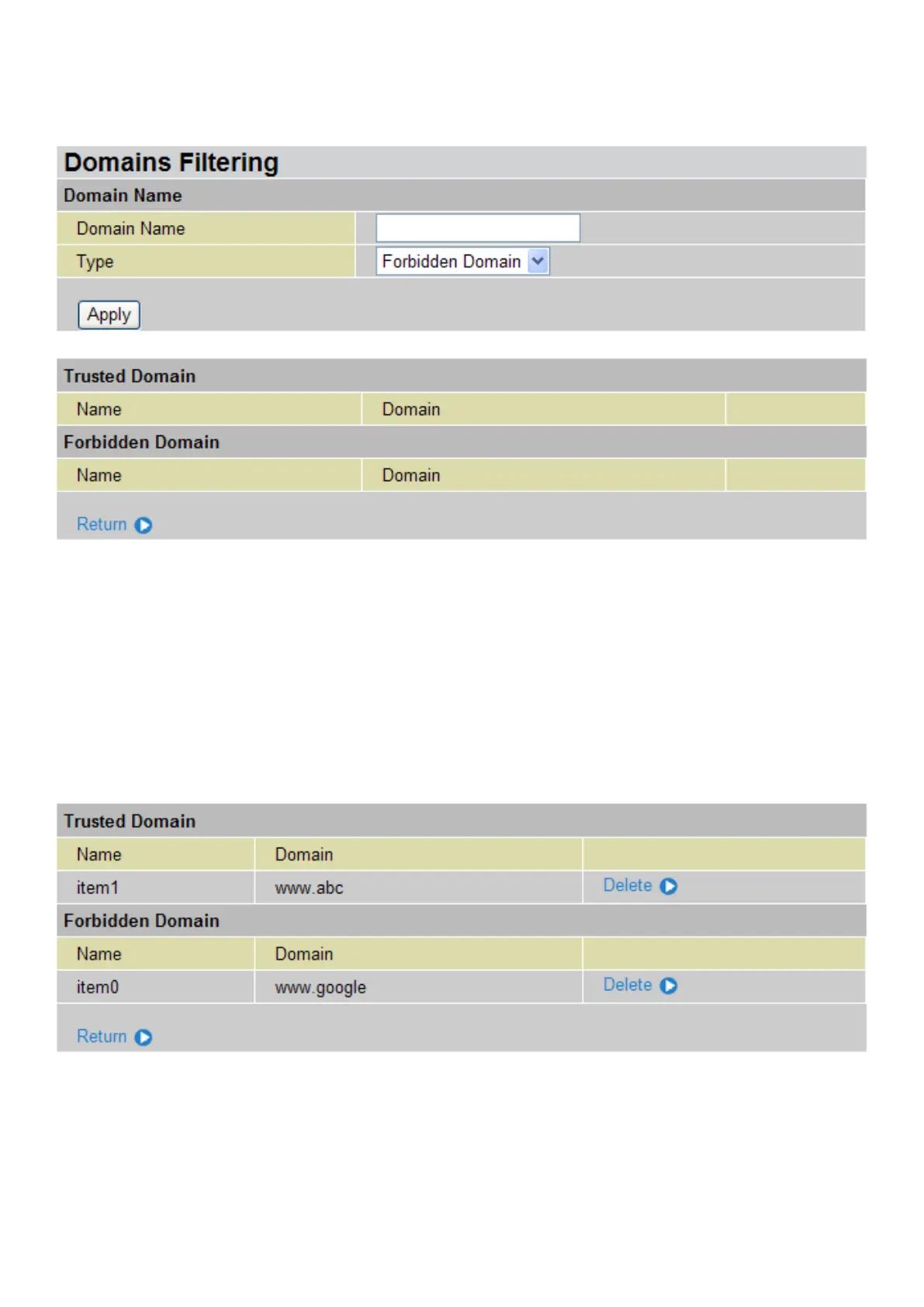
Domains Filtering: This function checks the whole URL not the IP address, in URLs accessed
against your list of domains to block or allow. If it is matched, the URL request will be sent (Trusted)
or dropped (Forbidden). For this function to be activated, both check-boxes must be checked. Here
is the checking procedure:
1. Check the domain in the URL to determine if it is in the trusted list. If yes, the connection attempt
is sent to the remote web server.
2. If not, check if it is listed in the forbidden list. If yes, then the connection attempt will be dropped.
3. If the packet does not match either of the above two items, it is sent to the remote web server.
4. Please be note that the completed URL, “www” + domain name shall be specied. For example
to block trafc to www.google.com.au, enter “www.google” or “www.google.com”.
In this example, the URL request for www.abc.com will be sent to the remote web server because
it is listed in the trusted list, whilst the URL request for www.google or www.google.com will be
dropped, because www.google is in the forbidden list.
Example:
Andy wishes to disable all WEB trafc except for the ones listed in the trusted domain list, which
would prevent Bobby from accessing other web sites. Andy selects both functions in the Domain
Filtering and thinks that it will stop Bobby. Nevertheless, Bobby knows that Domain Filtering will
ONLY disable all WEB trafc except for the one in the Trusted Domain, BUT not its IP address. If
this is the situation, Block surng by IP address function can be handy and helpful to Andy. With
this feature, Andy can prevent Bobby from accessing unwanted websites.





 To Next Page