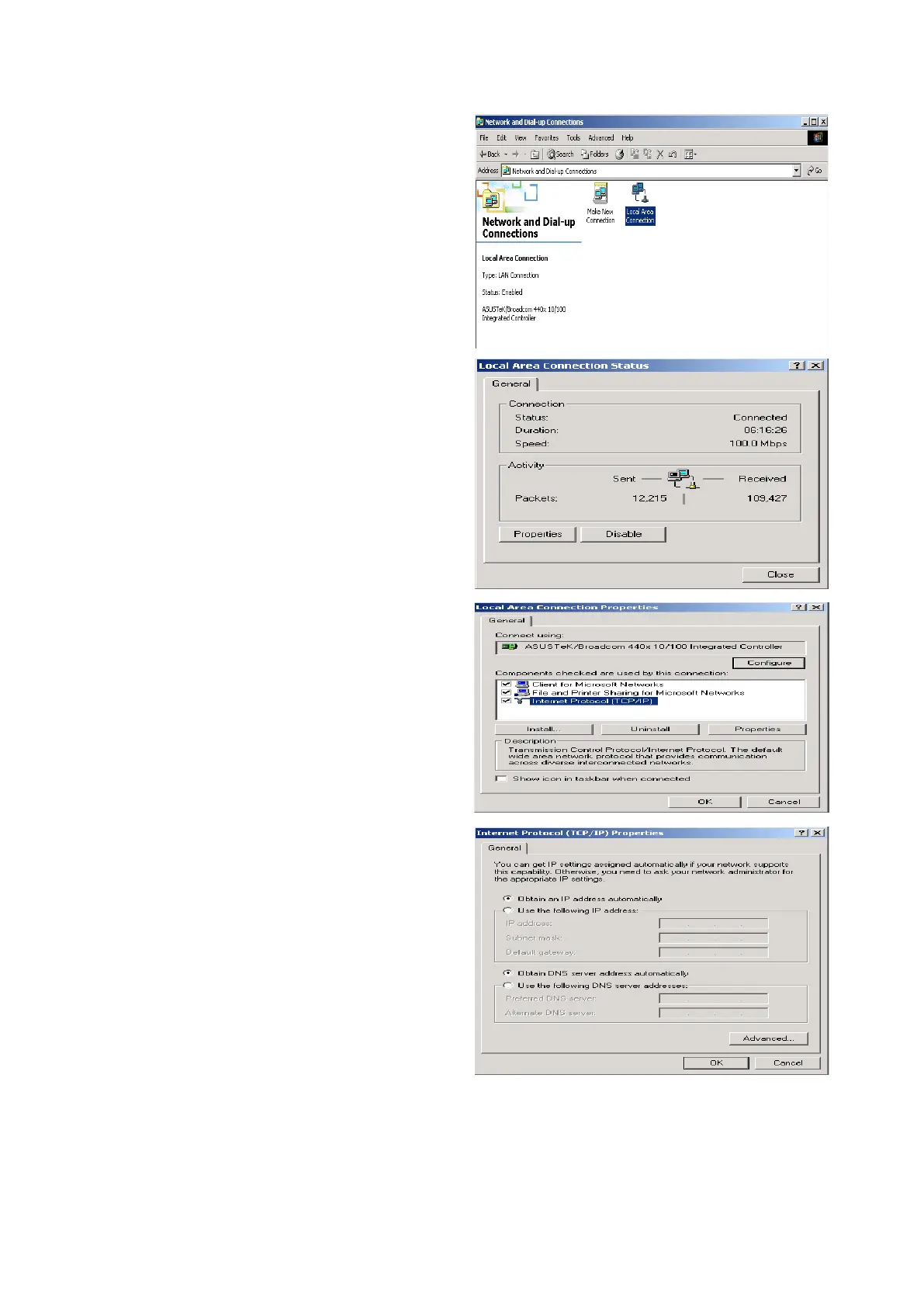
Conguring PC in Windows 2000
1. Go to Start > Settings > Control Panel. In
the Control Panel, double-click on Net-
work and Dial-up Connections.
1. Double-click Local Area Connection.
1. In the Local Area Connection Status win-
dow click Properties.
1. Select Internet Protocol (TCP/IP) and
click Properties.
1. Select the Obtain an IP address auto-
matically and the Obtain DNS server
address automatically radio buttons.
1. Click OK to nish the conguration.
22











 To Next Page