18
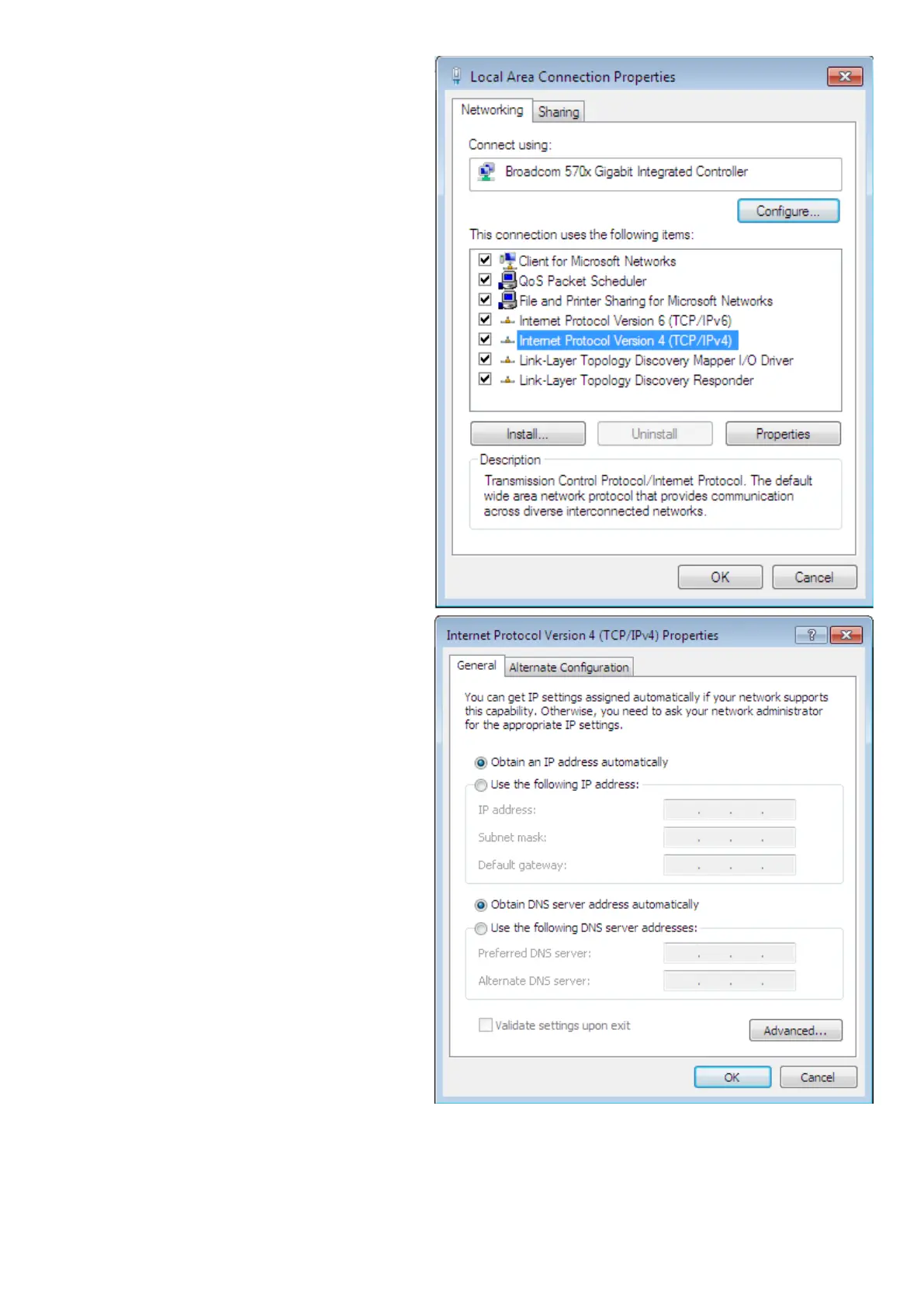
5. Select Internet Protocol Version
4 (TCP/IPv4) then click Proper-
ties.
1.
1. In the TCP/IPv4 properties window,
select the Obtain an IP address au-
tomatically and Obtain DNS Server
address automatically radio but-
tons. Then click OK to exit the set-
ting.
1. Click OK again in the Local Area
Connection Properties window to
apply the new conguration.
1.











 To Next Page