QUICK START GUIDE
11 Technical Help – Please contact the helpline on 0844 557 9677
Windscreen Holder Installation
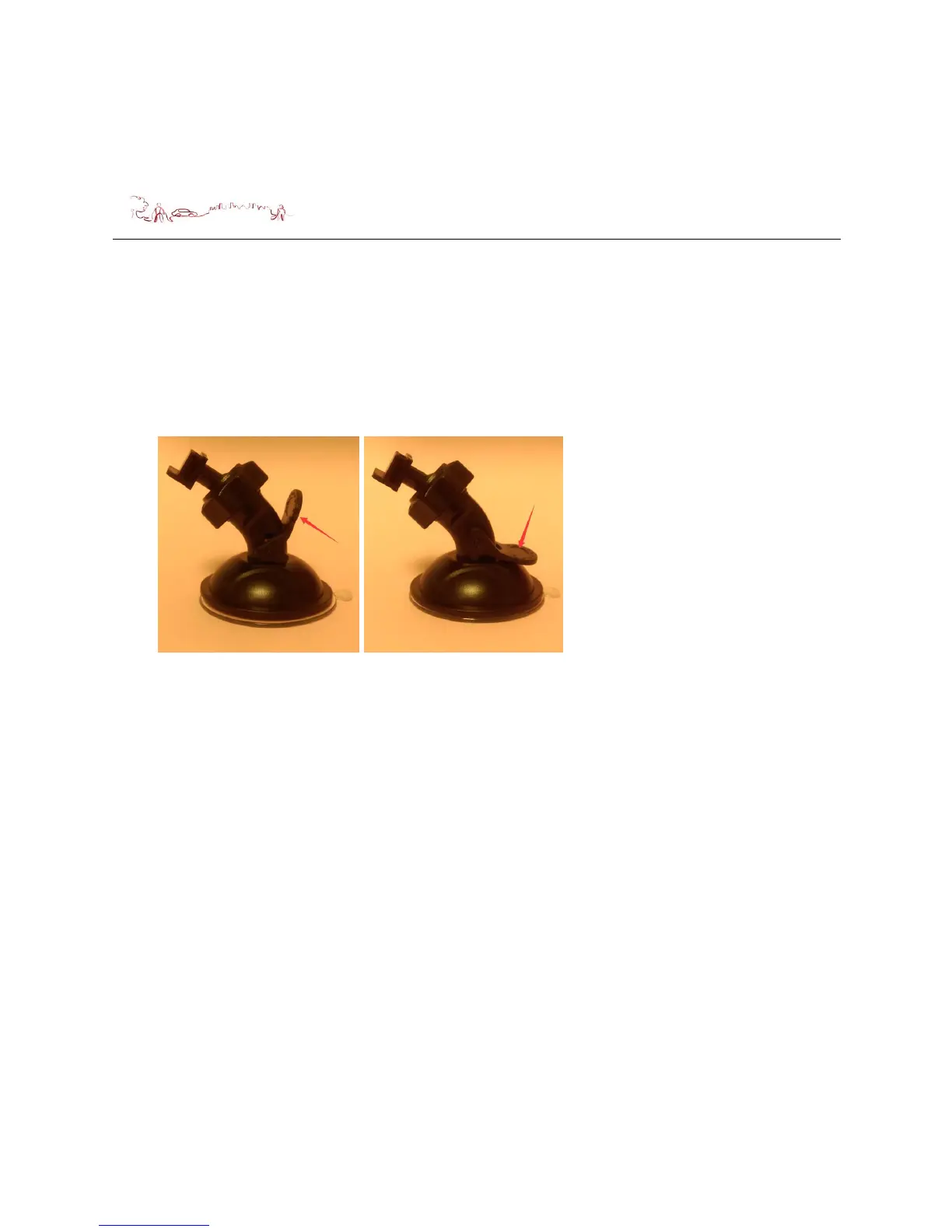
The Windscreen mount has a suction pad that fits to the windscreen or a flat area on
the dashboard.
A. Fitting to windscreen
Pull the lever away from the suction pad. Place the pad on the widescreen
and push the lever towards the pad until it clicks into place.
B. Fitting the Unit
Push the unit forward until it clicks into place at the top. Make sure you clean
the lens after installation.
C. Remove the unit from the Windscreen mount
Pull the unit backward and out of the Windscreen mount.
D. Remove the Windscreen mount from the windscreen;
Lift the lever away from the windscreen, then gentle pull the tab on the suction
cup to release the suction as you pull the mount away from the windscreen.


 To Next Page